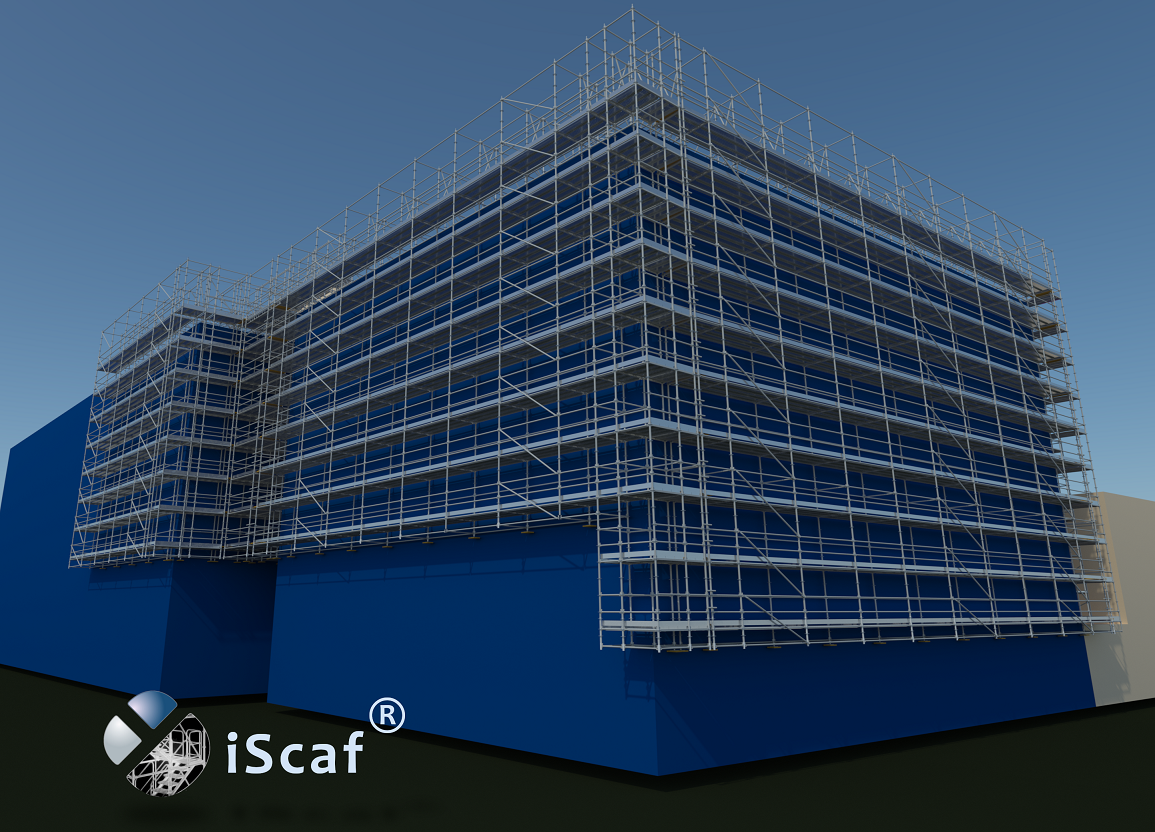
“iScaf® 11.0” is the latest version of the most respected scaffold design and estimating system available. Now with 3D solid rendering, iScaf® will enable you to design scaffold plans with full side elevations, and detailed 3D Drawings of your scaffold. iScaf® will generate an accurate bill of materials quickly and automatically with totals including length, weights and area. iScaf® will help save time and help you win more business with the impressive presentations produced by the latest release. iScaf® can be integrated with the iRent® system modules.
There have been many new exciting developments recently with iScaf®. Please review our Latest News page to keep updated with new developments and new products that integrate with iScaf®.
iScaf® RealView is a new service available from Scaffolding Software that will allow you to create an interactive 3D scaffold experience.
Please contact us for more information.
Visit our iScaf® RealView page.
Yes. Version 11.0 provides access to the best of both worlds. In addition to the standard menu controls, it makes available the latest interface, including a new ribbon menu. This gives you access to all the controls necessary for drawing scaffold; even more quickly and easily than before. No matter whether you are a scaffold expert (with limited computer experience) or a CAD expert (with many of your own custom templates and blocks), our software is there to provide the power at your fingertips.
iScaf® is a fully self-contained software system that can be downloaded and deployed on Microsoft Windows PC or Cloud systems.
Behind the scenes, iScaf® uses the powerful AutoCAD drawing engine to draw and estimate scaffold. Our product can still be used effectively by all users, though, even those without any CAD knowledge. Due to a bulk licensing agreement, we are now able to offer an even more affordable pricing structure. There is no need to purchase AutoCAD or any additional CAD software to use the iScaf® product.
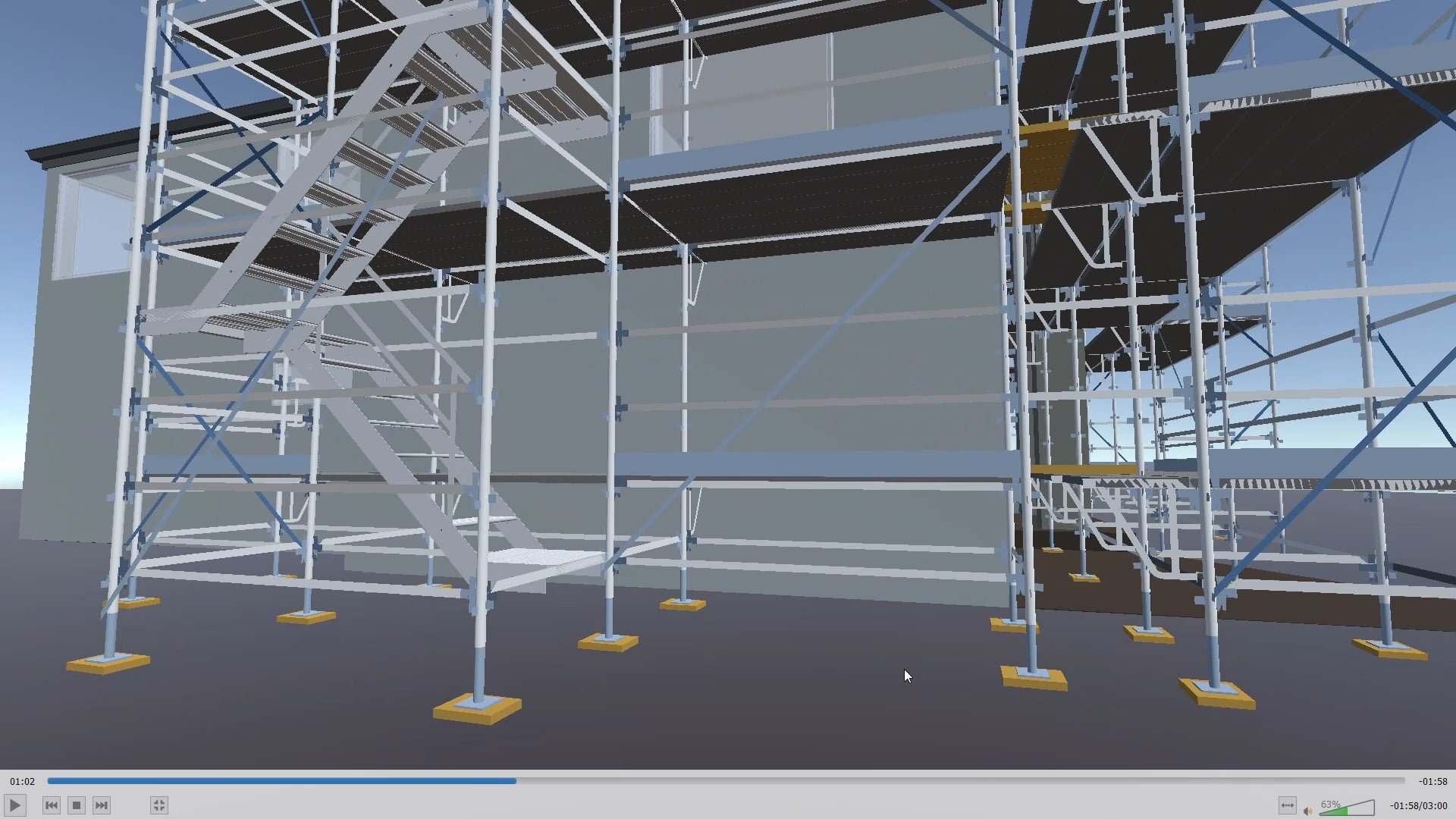
Please click on the image to view the latest iScaf® demonstration.
Some Existing iScaf® Modules: Layher Generic, Plettac Generic, Ringlock Generic, Cuplock Generic, Kwikstage Generic, Basic Formwork, Basic Shoring, USA Excel Modular Scaffold, USA Frames (all styles), USA K-Lock, USA Safway Modular System, USA Safway Frames, USA Wedgelock, USA AT-PAC style, USA Layher (Imperial), Canada Etobicoke Ironworks style, Australia – AT-PAC, Australia – ACROW, Australia – Frames (Western Australia), Australia – KwikStage, Australia – Cuplok, Australia – Layher (Metric) U-Deck and O-Deck, Australia – Quickally, Australia – Aluminum Kwikstage, Australia – SafeSmart Access ProScaff U-Deck and O-Deck, New Zealand – Layher (Metric) U-Deck and O-Deck, New Zealand – Kwikstage, New Zealand – SafeSmart Access ProScaff U-Deck and O-Deck, New Zealand – Aluminium Kwikstage, England/Ireland/Scotland – Kwikstage, England/Ireland/Scotland – Cuplok, Germany – Plettac Perfect Contour, Germany – Plettac SL Frames, Germany – Plettac SL70 Frames, Germany – Plettac S System, Germany – Layher Allround, Germany – Layher Speedyscaf, Holland – Crab 32, Italy – Multidirectional System, Italy – SM8, Italy – Realpont, Italy – Pilosio Frames, Italy – Rapid Scaf, Portugal – Nor48, Portugal – Adapt, Sweden – Layher, Poland – Layher.
iScaf® does not build scaffold entirely out of tube and clip.
We do allow tube and clip in between bays for system scaffold like tube ties, tube handrail or tube for wall ties.
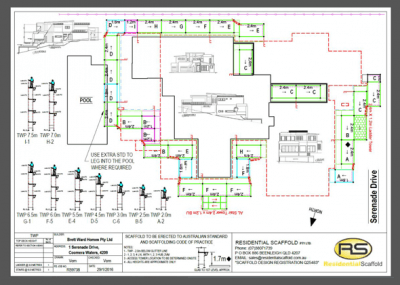
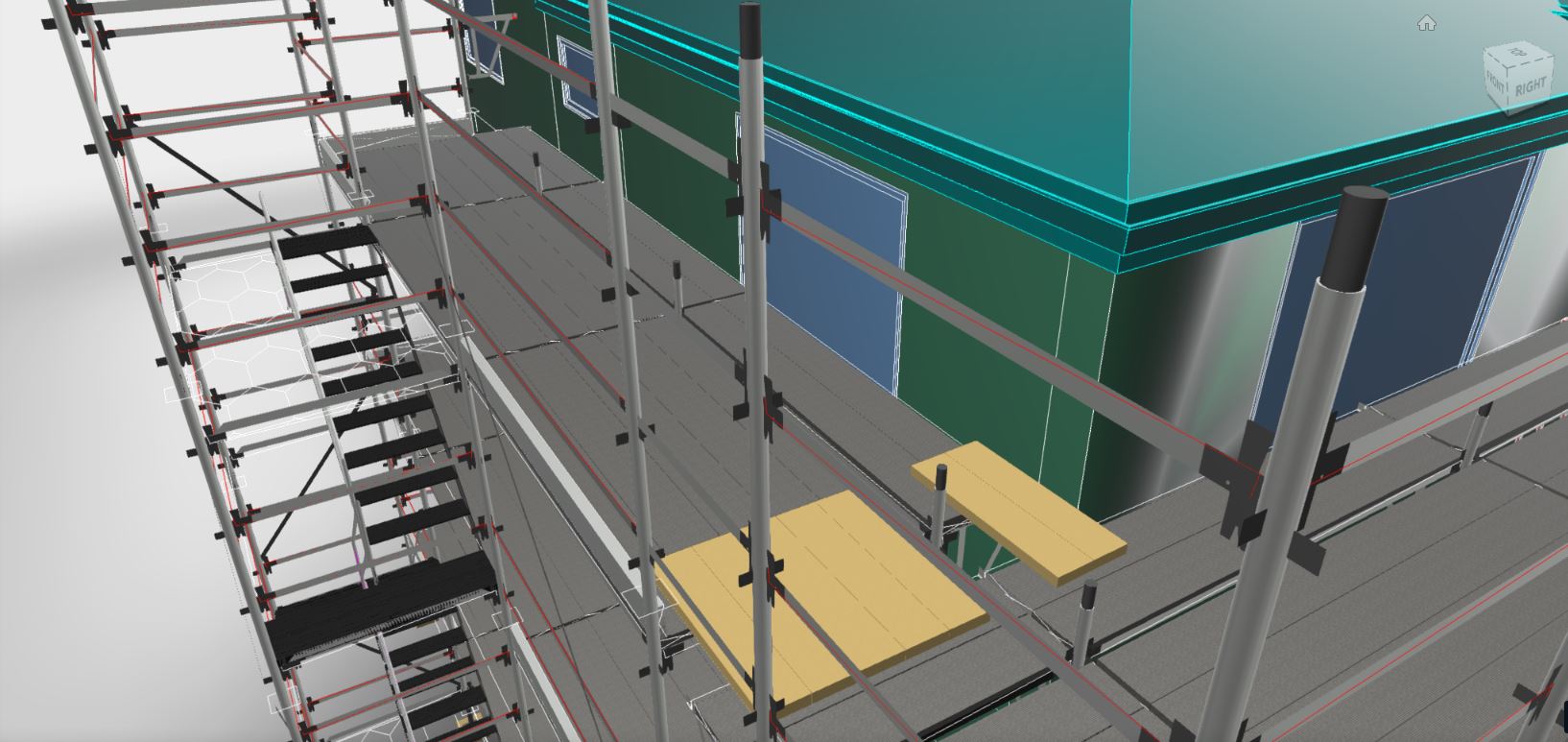
“iScaf®” allows you to provide detailed Plan, Elevation and 3D colour drawings with your estimates and quotes. The output is perfect for scaffolders on-site, providing them with the assurance that they know exactly what is required to build. It is also a perfect demonstration tool, allowing you to show your clients just what you can do for them. “iScaf®” allows you to scaffold using an architectural drawing of any structure you choose. Import the image in PDF or scanned format and trace around the outline.
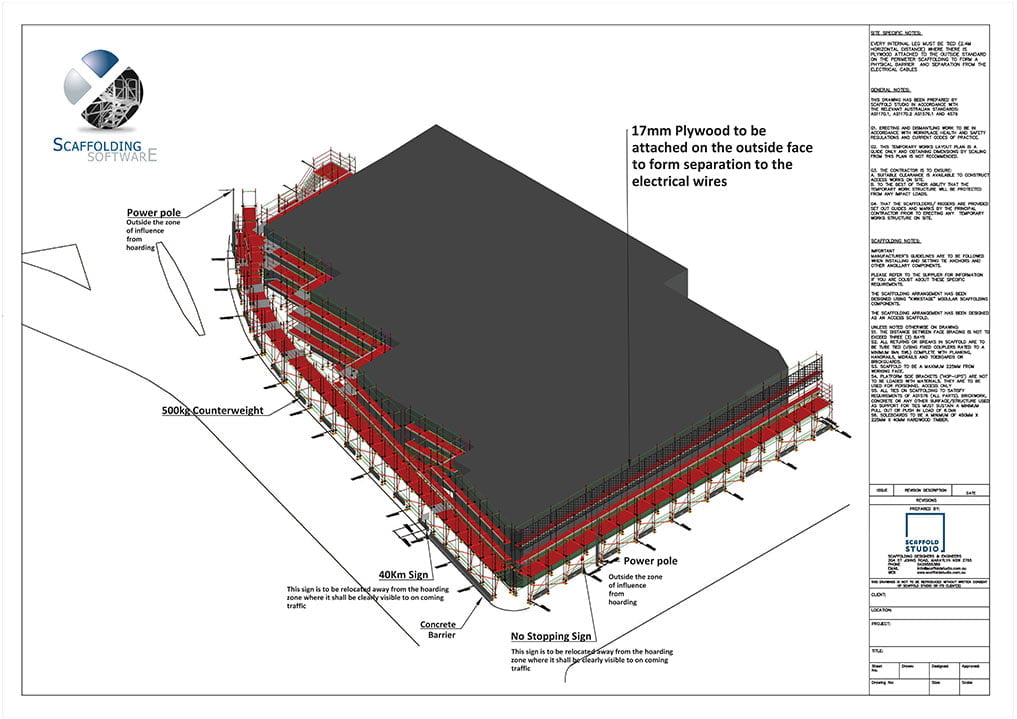
Print your full design on any standard size paper, with your choice of: company logo; additional text and extra information about your company. Our product also allows you to easily scale drawings using 1:100, 1:200 or any other ratio you may prefer. By presenting your drawing in this way, “iScaf®” allows you, your clients, and your scaffolders to clearly understand what is required when it’s time to actually build the scaffold on site.
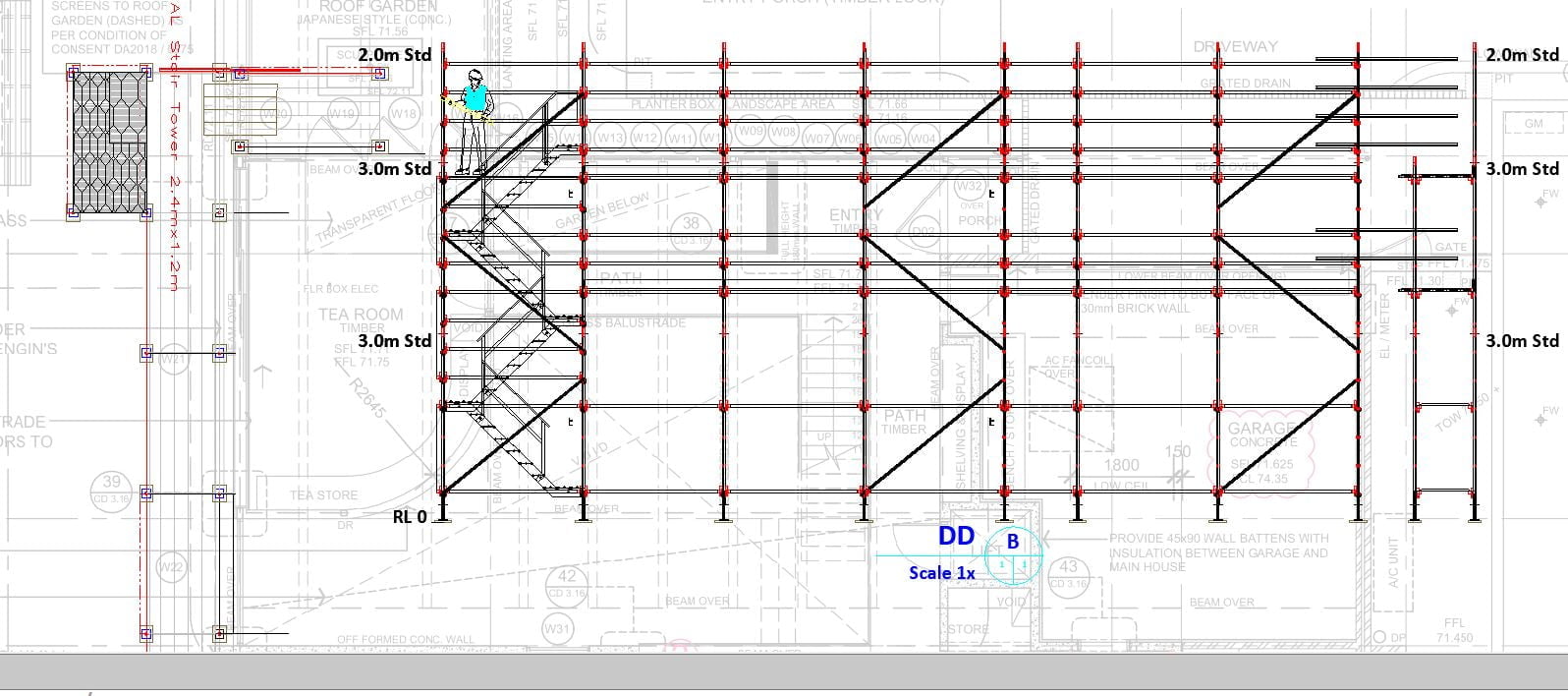
Some other products used for creating scaffolding includes functions for creating three dimensional representations of a scaffolding design. “iScaf®” is no exception in this regard. It not only generates professional 3D drawings but also goes the extra distance of allowing you to produce sectional/elevation constructions These offer the advantage of providing an unimpeded view of the standards (verticals) layout and can be customised to include your own company title block.
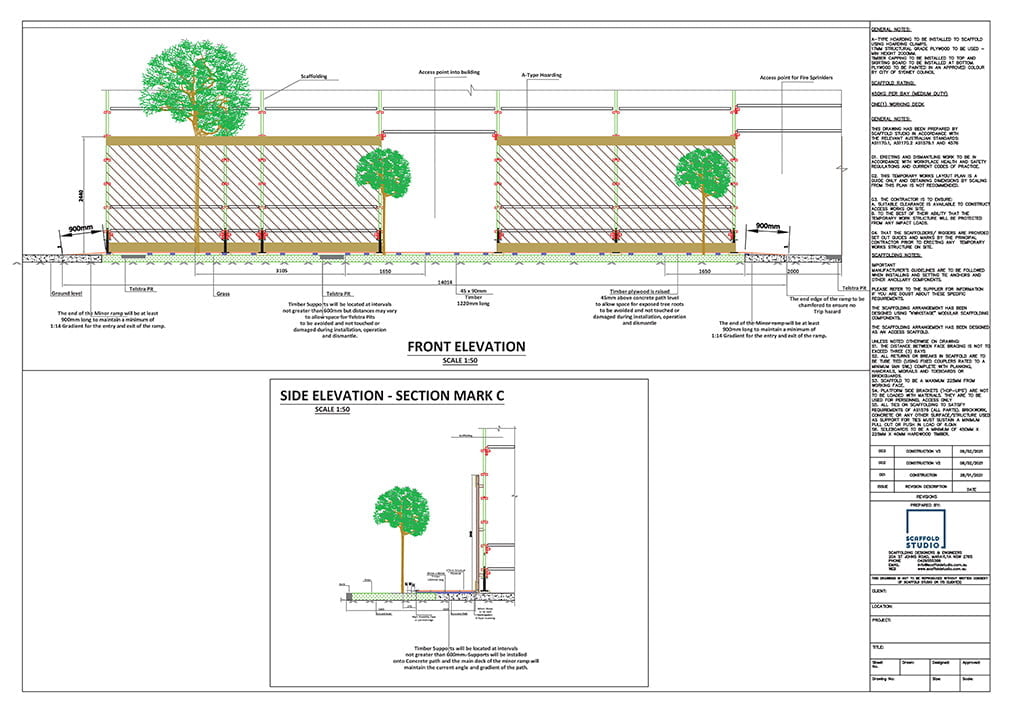
iScaf® is used extensively in the field with THOUSANDS of drawings delivered every week by our clients in practical real world situations. While other systems may grind to a halt with more than 50 scaffold bays, iScaf® can handle extremely large real world commercial projects and complex designs which can be edited as requirements and conditions may change on site. iScaf® is only limited by your own creativity.
iScaf®11 Gallery
Feel free to contact one of our official customer reference sites. Customer reference sites.
We also have an additional parts library which can used to enhance your design or you can design your own components and blocks to customise your design and annotate you presentations.
“iScaf®” Supports many types of modular or frame scaffold systems and can also be customised to suit special needs.
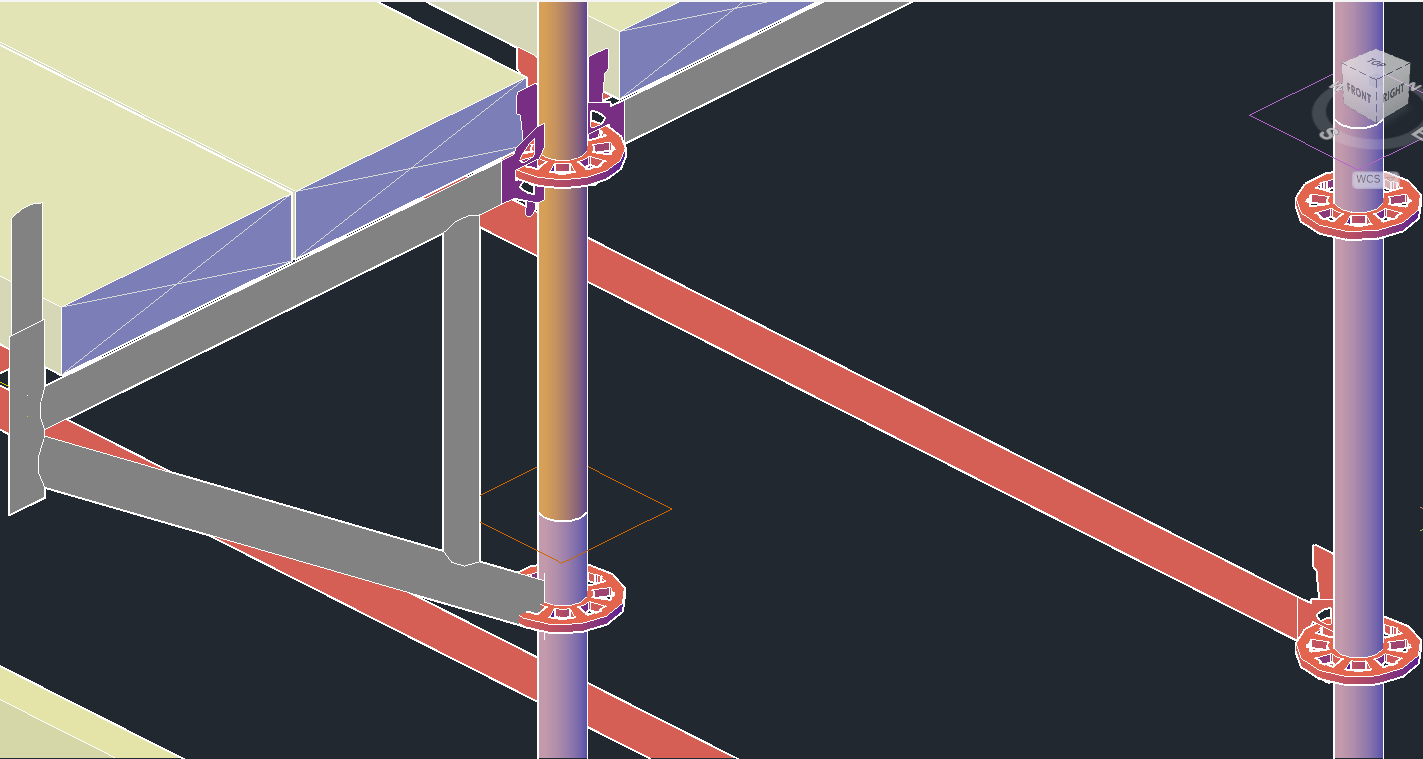
What you see is what you get. Every single component is counted based on the scaffold that you use. With our experience in the industry, we know how most scaffold systems are constructed. All the different dimensions for the ladder towers and stair units are built the way you would build them right down to the stair stringers, stair treads, platforms, trap doors, landings and handrails. We also understand that every scaffold business does things a little differently to their neighbour, so please talk to us about your specific needs.
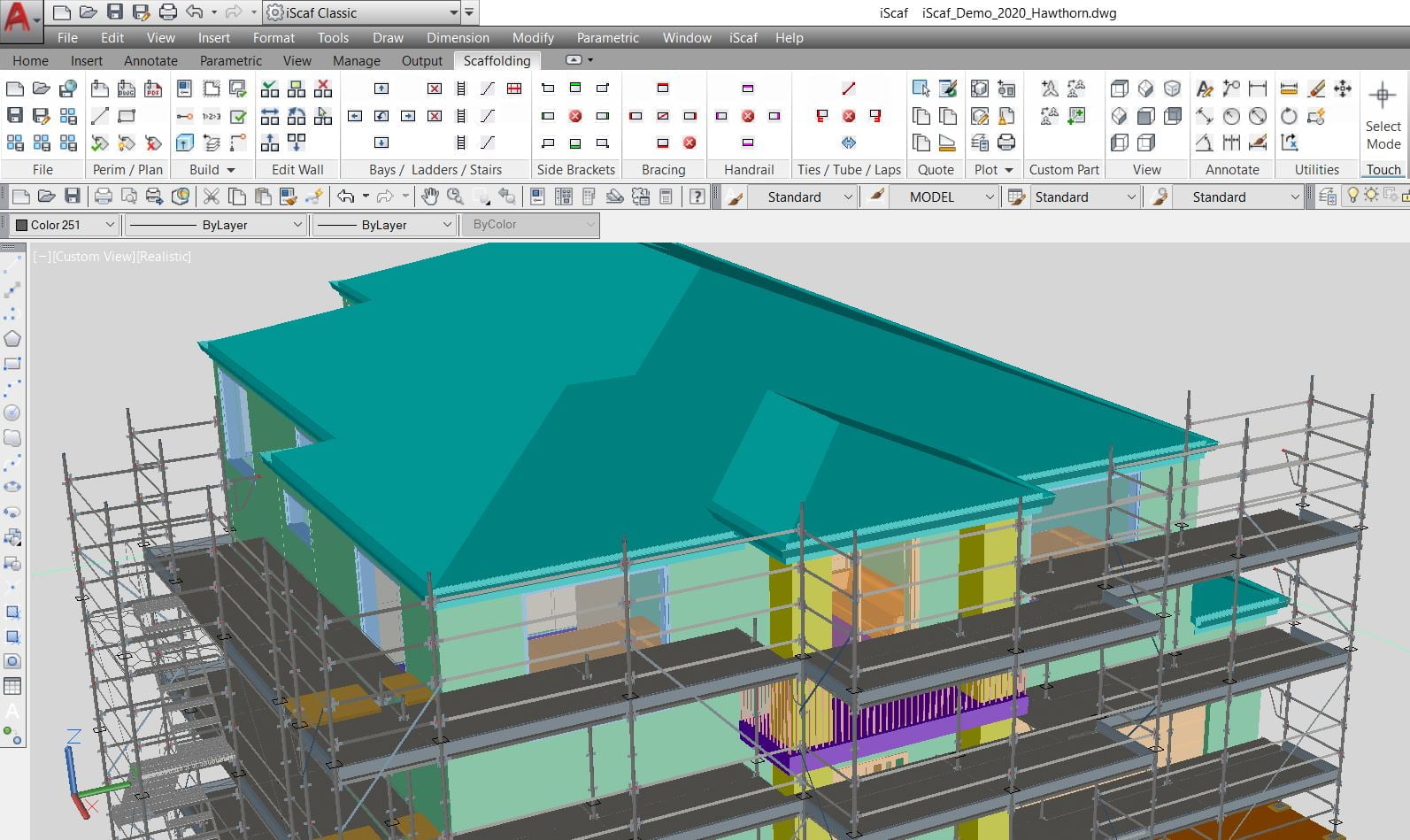
What Scaffold Systems does iScaf® support? iScaf® can handle a number of scaffold systems such as the main ones including Ringlock, Layher, Cuplock, Kwikstage and Frame. Almost any scaffold system can be supported with iScaf®. The iScaf®“Modules” system allows Scaffolding Software to create variations and customisations within each module since we understand that different businesses can have variations in the way their scaffold is built. This gives iScaf® very good flexibility.
Please Click Here to view a more comprehensive list of iScaf® scaffold modules.
iScaf® will NOT handle scaffolds built entirely out of tube and clamp.
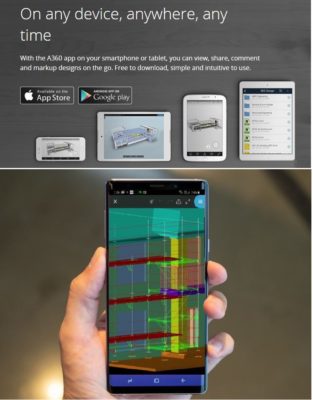
With the use of additional cloud based tools by Autodesk®, iScaf® drawings can be shared to mobile, iOS, Android, PC and MAC devices. Your employees and clients can view iScaf® drawings anywhere with the multi-platform viewer. If more power is needed with annotation and mark-up, then the Autodesk® APP can be used with the iScaf® Drawings.
iScaf® Drawings and the accompanying material list quote can be converted easily to a custom PDF or exported to a variety of formats.
Please visit the Scaffolding Software YouTube Channel for more information and tutorials in relation to viewing and sharing iScaf® drawings.
Please note that since January 2014, all our products use an activation system for license control. We no longer use the dongle or hardware lock type system. This has been very well received and we will continue this approach. If your business still uses the old hardware lock system, we will still provide support but we recommend that you upgrade.


Minimum System Requirements
| Operating System | Microsoft Windows 11 x64 edition version 21H2 or above. Note Windows x32 editions are NOT supported |
| CPU Type | Basic: 2.5-2.9 GHz processor with 8 logical cores (base) ARM Processors are not supported. Recommended: 3+ GHz processor (base), 4+ GHz (turbo) Intel options: i5/i7 7000+ series AMD options: Ryzen 3000+ series |
| Memory | 16 GB (32 GB or greater highly recommended) |
| Display Resolution | Conventional Displays: 1920 x 1080 with True Color (24 bit/16 Million Colour mode) Display (with capable display card) High Resolution & 4K Displays: Resolutions up to 3840 x 2160 supported on Windows 10/11, 64-bit systems, (with capable display card). Display Scaling suggested to be limited to 150% max, suggest 125% or 100%. |
| Display Card | Basic: 2 GB GPU with 29 GB/s Bandwidth and DirectX 11 compliant Highly Recommended: 8 GB GPU with 106 GB/s Bandwidth and DirectX 12 compliantDirectX 12 with Feature Level 12_0 is required for Shaded (Fast), Shaded with edges (Fast), and Wireframe (Fast) visual styles. Please be sure to use the latest drivers from the video card manufacturer’s website.Note: iScaf uses your computer’s display card for a variety of essential graphics operations including but not limited to view manipulation, line smoothing, and text/linetype generation. It is recommended that you have a display card with dedicated VRAM to support these operations at optimal speeds. |
| Disk Space | 20.0 GB (suggested SSD) |
| Pointing Device | MS-Mouse compliant device with wheel and wheel/3rd button |
| Browser | Microsoft Edge / Mozilla Firefox / Google Chrome |
| .NET Framework | .NET 8 |
Regarding Windows 10 Support: If a vendor discontinues support for an operating system, we will also discontinue support for our software running on that operating system, even if it is among the eligible previous versions. iScaf Build 5235+ will be Windows 11 only.
What does a “365-day adventure” actually look like for an accountant? The video likely unfolds not as a series of explosive events, but as a subtle, psychological epic. Each quarter is an act in a quiet tragedy of errors, reconciliations, and deadlines.
If uploading to YouTube, use these chapters:
At first glance, “Accounter Adventures” sounds like an oxymoron. Accounting conjures images of gray suits, fluorescent office lights, and the quiet tapping of ten-key calculators. Adventure implies the unknown, risk, and the thrill of discovery. Yet, this video title dares to bridge that gap, promising a year-long journey through the mundane, the maddening, and the unexpectedly profound life of an accountant.
After 365 days of work, the accountant isn’t a hero in a cape—they’re a hero with a calculator. The video’s deep conclusion might be this:
Adventure doesn’t require dragons or treasure maps. Sometimes it requires a stack of bank statements, a looming deadline, and the quiet resolve to make the numbers tell the truth. Every day, millions of accountants go to war with chaos—and most days, they win. That’s not boring. That’s bravery in beige.
“They said accounting was safe. Predictable. Boring. They were wrong. It’s a battlefield of decimals, a maze of mismatched receipts, and a test of sanity 365 days a year. But you know what? When the books balance… it’s better than coffee. See you next year.”
Before you write the title, you must understand the format. A series titled "Accounter Adventures: 365 Days of Work" trended not because of the math, but because of the relentless repetition.
Viewers subscribe for three reasons in this niche:
(0:00) Intro: The Myth vs. Reality "People think accounting is just sitting in a dark room crunching numbers on an Excel spreadsheet while drinking lukewarm coffee. And... well, sometimes it is. But over the last 365 days, I’ve learned that the job is actually 10% math and 90% solving problems that shouldn't exist. This is a year in the life of an accountant."
(0:45) January & February: The Calm Before the Storm "The year starts with the 'Year-End Close.' It’s the accounting equivalent of cleaning your house before guests arrive. We’re fixing errors from December, reconciling bank statements, and praying the spreadsheets balance. The office is quiet. Too quiet. This is the time we take our lunch breaks, catch up on CPE (Continuing Professional Education) credits, and actually leave at 5:00 PM. Enjoy it while it lasts."
(1:30) March & April: The Danger Zone (Tax Season) "Fast forward to March. The calendar turns red. The coffee turns black. We don’t see our families. We don’t see sunlight. We only see 1040s and balance sheets. This is 'Busy Season.'
(2:30) May & June: The Recovery "April 15th passes. The dust settles. We enter the 'Post-Busy Season Coma.' Half the office takes a month off to recover, and the other half works on 'clean-up'—amended returns and dealing with the IRS notices that inevitably arrive. This is the best time to be an accountant. We remember what the sun looks like. We remember that we have hobbies."
(3:15) July & August: Audits and Advisory "Summer isn't just for beach trips. For many of us, this is Audit Season. We’re out of the office, visiting client sites, counting inventory in hot warehouses, and testing internal controls. This is the 'Adventure' part of the title. You travel, you meet clients, you see how different businesses operate—from manufacturing plants to tech startups. It’s where the real learning happens."
(4:00) September & October: Round Two "Just when you thought it was safe... October 15th hits. The extended deadline. It’s like a mini-busy season. All those clients who procrastinated in April? They’re back. But this time, we’re seasoned veterans. We know the shortcuts. We know which partners to avoid in the hallway."
(4:45) November & December: Planning and Parties "The year winds down with tax planning meetings. 'Hey, you should probably buy that equipment before December 31st to get the depreciation deduction.' Then come the holiday parties—the one time of year accountants let loose. It usually involves someone singing karaoke badly and talking about how much they hate the new tax code."
(5:30) Outro: The Verdict "So, 365 days. It’s a cycle of chaos, recovery, and spreadsheets. It’s long hours, stressful deadlines, and a lot of caffeine. But it’s also problem-solving, career growth, and the satisfaction of making sense of the chaos. Being an accountant isn't just an adventure; it’s a lifestyle. See you next year."
Rating: ★★★★☆ (4/5)
The Verdict: "Accountant Adventures: 365 Days of Work" is a surprisingly gripping deep-dive into a profession often stereotyped as dry and monotonous. By condensing a full year into a single narrative, the video successfully humanizes the "number cruncher" and reveals the high-stakes pressure cooker that is the modern accounting industry.
The Narrative Arc: The strength of the video lies in its structure. By committing to the "365 Days" format, the creator takes the viewer on a complete journey. It starts with the relative calm of the off-season, builds tension through the chaotic "Year-End Close," and reaches a fever pitch during the dreaded Tax Season (or Audit Season).
For anyone outside the industry, this structure is eye-opening. It dispels the myth that accounting is a simple 9-to-5 desk job. The video captures the volatility of the workload—the late nights, the exhausting weekends, and the emotional toll of deadlines—contrasted with the strategic problem-solving required during the quieter months.
Production and Pacing: The editing is tight. Vlogs spanning a year can often feel disjointed, but the transitions here are smooth. The creator does a great job of balancing technical "shop talk" with personal life. We see the spreadsheets and the software, but we also see the burnout, the coffee runs, and the small victories.
The inclusion of "Day in the Life" snippets helps break up the monotony of talking-head segments. Watching the creator navigate difficult clients or solve complex reconciliation errors adds a surprising amount of tension to what is essentially a corporate vlog.
The "Relatability" Factor: This video is a must-watch for two specific audiences:
Criticisms: The only downside is that the middle section
Video Title Accounter Adventures: 365 Days of Work The digital landscape is often viewed through the lens of creators, influencers, and viral stars. However, behind every viral hit and every meticulously organized YouTube channel lies a silent engine of data management. This is the world of the video title accounter—a role that blends the precision of data entry with the high-stakes environment of digital media. For those following the journey of "Video Title Accounter Adventures: 365 Days of Work," the past year has been a masterclass in consistency, optimization, and the evolving nature of the creator economy. The Role of a Video Title Accounter
At its core, a video title accounter is responsible for the systematic tracking, auditing, and optimization of video metadata. In an era where search engine optimization (SEO) determines the lifespan of content, the title of a video is its most valuable asset. The "adventure" begins with the realization that a title is not just a label; it is a bridge between a creator's vision and an audience's curiosity. Over 365 days, this role transforms from a repetitive task into a strategic operation that influences click-through rates (CTR) and algorithmic favor. The First 100 Days: Establishing the Rhythm
The initial phase of a 365-day journey is dedicated to building the infrastructure of record-keeping. A video title accounter must track more than just the text of a title. They monitor performance variations, A/B test results, and keyword density. During these first few months, the primary challenge is the sheer volume of data. Managing hundreds of titles across multiple platforms requires a disciplined approach to spreadsheet management and database integrity. The adventure here lies in discovering the "sweet spot" for specific niches—learning which words trigger curiosity and which ones fall flat. Mid-Year Milestones: The Shift to Strategy
By the 180-day mark, the "Adventures" shift from manual entry to strategic analysis. This is where the accounter begins to see patterns in the noise. They might notice that titles phrased as questions perform 20% better in the tech niche, or that "How-To" guides require specific timestamp markers to maintain high retention rates. The job evolves into a constant game of cat and mouse with platform algorithms. Every update to a recommendation engine requires the accounter to pivot, adjusting titles for older content to ensure "evergreen" videos continue to generate revenue. The Final Stretch: Optimization and Automation
As the 365-day mark approaches, the adventure focuses on efficiency. Experienced video title accounters begin integrating AI tools to predict title performance before a video even goes live. They curate a massive database of "power words" and "emotional triggers" that have proven successful over the year. This period is also about the "accounter" aspect—reporting on the return on investment (ROI). By showing how a simple title change increased a channel's overall watch time by a significant margin, the accounter proves their value as a vital member of the production team. Reflecting on a Year of Metadata
"365 Days of Work" reveals a fundamental truth about the modern internet: details matter. The Video Title Accounter Adventures highlight that while content is king, findability is the kingdom. A year spent in the trenches of metadata provides a unique perspective on human psychology—what makes us click, what makes us stay, and how we navigate the infinite stream of digital information. For those looking to enter this field or creators looking to tighten their operations, the lesson is clear: consistency in the small things leads to massive success in the long run.
Creating a video series like " Accountant Adventures: 365 Days of Work video title accounter adventures 365 days of work
" is a powerful way to build a personal brand while humanizing a profession often seen as purely technical. This guide provides a roadmap for structuring a year-long work vlog based on current industry trends and content strategies. 1. Define the Series Structure
A 365-day series requires a sustainable format to avoid burnout. Consider these planning methods to keep the project manageable:
The "One Tip Daily" Format: Share a 60-second tax tip or financial insight every day to provide immediate value.
The "Work Diary" Vlog: Document realistic workdays, including sending invoices, audit preparations, and team meetings.
Weekly Retrospectives: If daily long-form videos are too demanding, post short daily clips and a longer "Week in the Life" summary. 2. Core Content Pillars
To keep the "Adventures" engaging for 365 days, rotate through different types of content:
Professional Tasks: Show the reality of month-end closes, managing accounts receivable, and reviewing aging reports.
Educational Snippets: Explain the difference between cash vs. accrual accounting or debunk common tax myths.
Technology & Tools: Share tutorials on QuickBooks tips or how to use Outlook features to survive the workplace.
Lifestyle & Productivity: Highlight your morning routine, time management hacks like time blocking, and how you stay productive during travel or work trips. 3. Essential Planning & Execution
Consistency is the hardest part of a 365-day challenge. Follow these steps to stay on track:
Plan the Night Before: To avoid morning decision fatigue, plan your next day's filming before you go to sleep.
Protect Client Privacy: Always ensure no sensitive healthcare or financial data is visible on your screen while filming.
Engage Your Network: Use the series to network virtually by answering follower questions or featuring client success stories (with permission). Content Inspiration Calendar Phase Focus Area Example Hook Days 1-90 Tax Season Grind "The 3 things I wish I knew before Tax Season started." Days 91-180 Professional Growth "Switching from office to remote work: My first 30 days." Days 181-270 Business Strategy "How to read a Profit and Loss statement in 2 minutes." Days 271-365 Reflection & Goals "365 days later: How my view of accounting has changed."
Are you planning to film this as a daily short-form series (like TikTok/Reels) or as a weekly long-form documentary?
Balancing the Books and the Buzz: 365 Days of Accounter Adventures
What happens when you take the meticulous world of accounting and turn it into a year-long marathon of content? You get Accounter Adventures: 365 Days of Work
If you’ve been following the journey on YouTube, you know this wasn't just about spreadsheets and tax codes—it was a deep dive into the discipline of consistency. Here is a look back at what it really takes to vlog every single day while maintaining a professional career. The Challenge: Why 365?
Vlogging every day is a known "growth hack" in the creator world, designed to push creativity and build a loyal audience. But for an accountant, it’s also the ultimate audit of one’s own life. Consistency is King
: Just like a balanced ledger, a daily vlog requires every day to "account" for itself. Breaking the Stereotype
: Many people see accounting as "gray" and repetitive. This project was about showing the "adventure" in the mundane—the late-night audit sessions, the morning routines, and the small wins. A Typical "Adventure" in the Life
While the title says "Adventures," the reality often looked like a high-speed juggling act. A standard day in the life of a modern accountant often includes: Strategic Financial Planning
: Moving beyond just data entry to offer insights on profitability and growth. The Digital Office
: Navigating remote work tools like Microsoft 365 and Excel while trying to film a decent transition shot. The "Third Shift"
: After finishing the 9-5 (or 9-9 during busy season), the "vlogger" job begins—editing, promoting, and engaging with the community. Lessons from a Year of Hustle
The journey from Day 1 to Day 365 isn't a straight line; it’s a series of "up and down" moments.
Video Title: Accounter Adventures: 365 Days of Work Concept OverviewThis video is a high-speed, 365-day documentary-style journey through the life of an accountant (or "accounter"). It breaks the "boring office worker" stereotype by highlighting the high-stakes chaos of tax seasons, the meticulous nature of daily audits, and the personal growth that happens between the spreadsheets over a full calendar year.
LoglineFrom the first cup of coffee on January 1st to the final balance sheet on December 31st, witness the grind, the math, and the madness of a year in the life of a numbers expert. Segment Breakdowns 1. The Q1 Crunch (January – March)
The Vibe: High energy, caffeine-fueled, and slightly frantic.
Key Moments: The "January 1st Reset," the arrival of the first W-2s, and the mounting mountain of paperwork. What does a “365-day adventure” actually look like
Visuals: Fast-paced montages of typing, dual-monitor setups, and late-night office snacks. 2. The Tax Season Peak (April) The Vibe: Survival mode.
Key Moments: The April 15th countdown. This section features "desk-side" confessionals about the most bizarre deductions clients try to claim and the euphoria of filing the final return of the season. 3. The Mid-Year Lull & Process (May – August) The Vibe: Recovery and system-building.
Key Moments: "The Great Cleanup." Focus on auditing, organizing messy books from the spring, and professional development. It shows the "adventure" in finding a missing $0.05 in a million-dollar account. 4. The Year-End Sprint (September – December) The Vibe: Strategic and reflective.
Key Moments: Pre-tax planning for clients and the "Final Balance." The video ends with a celebratory moment as the books for the entire 365 days finally hit zero. Core Themes
Precision vs. Chaos: The constant battle to find order in financial messes.
The Human Element: Short clips of client interactions—showing that accounting isn't just about numbers; it's about helping people navigate their lives.
The "365" Progression: A time-lapse of the desk/office environment changing through the seasons (holiday decor, piles of files growing and shrinking).
Closing Hook"365 days. Thousands of entries. Millions of dollars. One balanced life. This is Accounter Adventures."
Accounter Adventures: 365 Days of Work is a video series documenting a year-long journey in the life of an accountant. The project features daily video uploads intended to give viewers an inside look at the profession beyond just spreadsheets. Content Overview
The series aims to demystify the accounting profession by sharing both the mundane and the "wild" aspects of the job. According to the video description, key themes include:
Daily Tasks: Highlighting routine work like tax returns, financial statements, and client meetings.
The "Adventure" Element: Framing the professional year as a journey to engage a wider audience.
Consistency: A commitment to posting one video every day for a full year under hashtags like #AccounterAdventures and #365DaysOfWork. Context of the Profession
While the video series focuses on the "adventure" of the role, professional resources like the U.S. Bureau of Labor Statistics and FinOptimal note that the reality of the 365-day cycle typically involves:
Compliance: Ensuring financial statements meet legal standards and regulations.
Tax Management: Computing taxes owed and ensuring timely payments.
Data Analysis: Spending significant time on data entry, reconciliations, and research. Video Title Accounter Adventures 365 Days Of Work Apr 2026
Accounter Adventures: 365 Days of Work What a journey! Distilling an entire year of accounting into a single piece of content is a brilliant way to show the "human" side of the numbers. Whether this is for a YouTube vlog, a blog post, or a social media series, you’re tapping into a great mix of professional growth and relatable office humor. 365 Days of Work." 📹 Video Concept & Structure
To make a year-long recap engaging, you need to balance the "busy season" chaos with the "off-season" wins. The Narrative Arc:
The First 90 Days: The "Newbie" phase. Learning the software, meeting the team, and the first time a balance sheet actually balanced on the first try.
The Tax Season Peak: The "Survival" phase. Caffeine-fueled late nights, piles of receipts, and the dark circles under the eyes.
The Mid-Year Lull: Focus on professional development, clearing the backlog, and finally seeing the bottom of the inbox.
The Home Stretch: Year-end audits, final reconciliations, and looking back at how much faster you’ve become. Key Visual/Story Beats:
The "Before and After": Show your desk on Day 1 vs. Day 365.
The Spreadsheet Evolution: A montage of tabs getting more complex and organized.
The Wardrobe: From stiff professional wear to "it’s Friday and I’m tired" comfort. ✍️ Engaging Captions & Hooks Use these to grab attention on social media platforms:
The Relatable Hook: "I spent 2,000 hours in Excel so you don't have to. Here’s what 365 days of accounting really looks like."
The Growth Hook: "From 'What is a Pivot Table?' to 'I am the Pivot Table.' My year in numbers."
The Humor Hook: "365 days, 1,000 cups of coffee, and only 4 mental breakdowns over a 2-cent discrepancy." 💡 Content Themes to Include
The "Aha!" Moments: That specific moment when a complex concept like deferred tax or depreciation finally clicked. At first glance, “Accounter Adventures” sounds like an
The Tools of the Trade: Mention the software (Xero, QuickBooks, SAP) and your favorite ergonomic gear.
Work-Life Balance: How you managed (or struggled) to keep a life outside of the ledger.
Advice to Day 1 Self: What would you tell yourself if you could go back to the start of the year? 🛠️ Production Tips
Scannability: Use "Month" overlays on the screen to show time passing.
Soundtrack: Start with high-energy music, transition to something "intense" for tax season, and end with a triumphant, upbeat track.
The "Outtake" Reel: End the video with the funny mistakes—typos, coffee spills, or talking to yourself while hunting for a missing dollar.
I'd love to help you refine this further! To get the tone just right, tell me:
Who is your target audience? (Aspiring students, fellow pros, or general "day in the life" fans?)
What platform is this for? (A long-form YouTube video, a quick TikTok/Reel, or a LinkedIn article?)
What was the biggest challenge you faced during those 365 days?
Knowing these details will help me write specific scripts or titles for you!
Deep Paper: Accounter Adventures: 365 Days of Work Concept OverviewThis project explores the intersection of professional routine and narrative storytelling. It reframes the traditionally "dry" world of accounting into a high-stakes, year-long odyssey, highlighting the emotional and intellectual endurance required to navigate a full fiscal cycle. 1. Narrative Architecture
The Hero’s Journey (The Fiscal Year): The story follows a standard calendar, but uses financial milestones as plot beats.
Q1: The Call to Adventure. Setting up the year, cleaning up the "debris" of the previous year's closing.
Q2: The Road of Trials. Compliance hurdles, unexpected audits, and the "Great Reconciliation."
Q3: The Abyss. The exhaustion of mid-year, where the initial motivation fades and the repetitive nature of the work becomes a mental foe.
Q4: The Ultimate Ordeal. Year-end closing. This is the climax where all "adventures" culminate in a final balance. 2. Thematic Core: "The Micro-Epic"
The "Deep Paper" philosophy here is that adventure is a matter of perspective.
Visual Metaphor: A complex spreadsheet is treated like a dense jungle or a vast mountain range. The "Monster": The "Unexplained Variance." A
discrepancy that requires a 12-hour "quest" through digital archives to solve.
The Stakes: It’s not just numbers; it’s the integrity of the system and the livelihood of the stakeholders. 3. Content Strategy & Pacing
To sustain a 365-day narrative, the content must use a Cyclical Pacing model:
The Mundane (80%): Establishing the "Zen" of the grind. Soft keyboard sounds, the ritual of the first coffee, and the rhythmic nature of data entry.
The Chaotic (20%): Sudden shifts in tone. Red cells on a sheet, urgent "high priority" emails, and the adrenaline of a looming deadline. 4. Visual & Auditory Identity
Color Palette: Starts in "Corporate Grey/Blue" and gradually introduces warmer tones as the "Accounter" finds personal meaning in the work, ending in a "Gold" (Balanced Sheet) finish.
Soundscape: A mix of ASMR (typing, page-turning) and cinematic "tension" music during high-stakes reconciliation scenes. 5. Target Audience Psychology
The Commiserator: Other professionals who find solace in seeing their daily grind validated as an "adventure."
The Curious Outsider: People who wonder what actually happens behind the desk for 2,000 hours a year.
Summary StatementAccounter Adventures isn't a parody of work; it is a cinematic elevation of the professional spirit. It argues that 365 days of consistency is, in itself, a heroic feat.
If you're looking to punch up that title to make it more engaging or "clickable," here are a few ways to refine it depending on the vibe of your video: The "Hook" Style (Best for YouTube) I Worked as an Accountant for 365 Days Straight
Accountant Adventures: What 365 Days of Tax Season Really Looks Like I Spent 365 Days as an Accountant (And Survived) The Minimalist Style 365 Days of Accounting The Accountant’s Year: A 365-Day Adventure Accountant Adventures | Year One The Playful Style Tax, Coffee, Repeat: 365 Days of Accountant Adventures From Day 1 to Day 365: My Life as a Corporate Accountant The 365-Day Audit: An Accountant’s Adventure Quick Tip: Using "Accountant Adventures" as a series name (e.g., Accountant Adventures: 365 Days of Work ) usually looks more professional than "Accounter." to match one of these titles? AI responses may include mistakes. Learn more
This content is structured as a Video Production Kit, suitable for a YouTube vlog, a TikTok/Reels series, or a career blog post. It covers the script, visual ideas, and key themes.