OS/2 is an absolutely fascinating operating system and I want you to see it. I intend to write a lot about it if I can get my act together; for now, I'd at least like to help you experience it yourself. It's a trip and a half.
When I started looking into getting it working on a virtual machine, I had a hard time finding some crucial information and files, there were steps in the install process that were not explained in the few guides I could find, it wasn't clear to me which versions could be installed, and some of the install files were in formats I couldn't read.
Now that I've figured out all those problems I've created a guide with specific instructions on how to get all major versions working on VirtualBox, complete with sound, video and network in some cases, and you'll find those guides below. I also created prebuilt virtual machines you can just download and press play on.
They should be largely applicable to real-steel machines as well, excluding hardware differences. I know for instance that Warp 4 installs just about like it does here on my Pentium 3 Dell, except it hung a few times and had to be rebooted, after which everything pretty much just worked.
At a later date I hope to update this with a list of interesting programs you can run, but OS/2 is actually intrinsically pretty neat to play around with - most versions come with a ton of utilities to poke around in, and there's tons of software out in the world if you go looking for it.
Have fun!
If you like my work, consider tossing me a few bucks. It takes a lot of effort and payment helps me stay motivated.
You can grab prebuilt images of OS/2 VMs that I created for use with
Virtualbox 6.0+ from here
 .
.
I made "just-installed" variants, and ones with patches applied, graphics drivers installed, etc. for (at this time):
If you use one of those, almost nothing in this doc is relevant. If you'd prefer to experience the joy of installing and configuring, or are working on a real-steel machine, press on.
Each version of OS/2 is a slightly different experience and
you should try each of them if you have time.
For the record, "Warp"
means nothing. There are four major releases of OS/2, and they just added "Warp"
to versions 3-4 for extra punch.
os2museum.com covers a lot of
this stuff in better detail. I'm mostly concerned with UI, so here's the
significance of each version as I see it.
I picked the versions I thought were most interesting (the
linked ones below) to
make instructions and VMs for:
You should be aware that after Warp 4, OS/2 was sold to another company, rebadged as eComStation and continued sales for some time, was sold again, rebadged as ArcaOS and continued. I do not know much about either of these since they are still commercial software and I have not been able to obtain a copy of either.
Info you find online about either of these may apply to OS/2, but may not. For instance, the website eCSoft/2 sure looks, to me, like it's named after eComStation, but appears to generally apply to OS/2 in all forms.
Here are some assorted notes about the general experience of OS/2:
Title: Trap (2015) Unrated Korean Movie – A Chilling Thriller You Can’t Miss
Post: If you’re a fan of tense, psychological thrillers, the 2015 Korean film "Trap" (also known as The Deal) will get under your skin. And now, you can watch the Unrated version for the full, uncut experience.
The story follows a struggling screenwriter who travels to a remote guesthouse with his wife for a quiet getaway. But when a mysterious and dangerous local offers them a deal they can’t refuse, their trip turns into a nightmare of survival.
Why watch the Unrated version?
📽️ Watch now at: www.10xflix.com (Search for ID: 72)
🔥 Movie Recommendation: Trap (2015) – Unrated Korean Thriller
A peaceful trip. A deadly deal. No way out.
If you loved The Wailing or I Saw the Devil, this one will haunt you. Watch the Unrated version – more brutal, more suspense, no cuts.
🎬 Streaming now at 👉 www.10xflix.com (Post ID: 72)
#Trap2015 #KoreanThriller #UnratedMovie #10xflix #KMovie
Title: [Request/Watch] Trap (2015) Unrated Korean – 10xflix ID 72
Just found the Unrated version of Trap (2015) – the Korean psychological thriller. Much darker than the theatrical cut. If you like slow-burn horror with a brutal payoff, this is for you.
Stream link: www10xflixcom / ID 72 (remove spaces)
Plot: A writer and his wife take a trip to a rural guesthouse. A local offers them a "deal." Things go very wrong.
Highly recommended for fans of The Chaser or The Yellow Sea.
Without more specific details, it's challenging to provide a tailored guide. However, the steps and considerations outlined should help you navigate finding and enjoying your desired content safely and legally. Always prioritize using reputable sources to ensure a positive viewing experience.
The search terms suggest you are looking for the South Korean thriller Trap: Lethal Temptation (2015)
, directed by Bong Man-dae. Note that this is often confused with another 2015 Korean thriller titled starring Ma Dong-seok. Below is a blog post centered on the version directed by Bong Man-dae
Exploring the Surreal: A Deep Dive into Bong Man-dae’s "Trap" (2015) Bong Man-dae
The 2015 South Korean film titled (also known as Deot: Chi-myeong-jeog-in Yu-hok Trap: Lethal Temptation ) is an erotic thriller directed by Bong Man-dae
. It explores themes of obsession, blurred reality, and fatal attraction. Movie Overview Original Title: 덫, 치명적인 유혹 (Deot: Chi-myeong-jeog-in Yu-hok)
Bong Man-dae (often referred to as "Playboy Bong" for his focus on eroticism)
Yu Ha-jun (as Jeong-min), Jung Min-gyeol/Han Je-in (as Yoo-mi), Kang Yong-kyu (as Doo-cheon) Drama, Mystery, Thriller Approximately 107 minutes Plot Summary The story follows
, a scenario writer who has recently been dumped by his girlfriend. To find solitude and focus on his work, he travels to a remote countryside inn. There, he meets trap 2015 unrated korean www10xflixcom 72
, a young, attractive girl living with a mysterious landlord. Jeong-min becomes deeply attracted to her, leading to sexual encounters that increasingly blur the line between his reality and his fantasies. As he becomes further entangled, it is revealed that the situation at the inn is a dangerous trap. Key Features & Ratings Adult Content:
The film is noted for its high level of eroticism, including graphic nudity and sex scenes. Production Style:
Despite being a lower-budget production with some continuity issues (such as changing seasons), reviewers note it maintains a surreal and tantalizing atmosphere. Critical Reception: It holds a rating of approximately Important Distinction Do not confuse this film with
(also released in 2015), which is a more violent crime thriller starring Ma Dong-seok. While both are Korean thrillers from the same year, Trap (Lethal Temptation) focuses more on psychological and erotic themes. 百度百科
A South Korean thriller film directed by Kwon Hyung-jin in 2015.
It seems you're looking for the 2015 unrated Korean film Trap (also known as The Deep or Hwaljjak), possibly in relation to the website www10xflixcom and the number 72.
A few important clarifications:
If you need help locating a legal source for the unrated version, let me know your region, and I can suggest specific services. I cannot assist with piracy links.
The 2015 Korean thriller Trap (also known as Deot) remains a notable entry in the K-suspense genre, particularly for viewers seeking the intense, visceral storytelling that defined mid-2010s independent cinema. While the film gained traction on various streaming platforms, its reputation is built on its claustrophobic atmosphere and a narrative that blurs the lines between victim and predator.
The story follows a struggling screenwriter who travels to a remote mountain cabin to find inspiration and focus on his latest script. His solitude is quickly interrupted by a mysterious, alluring girl and her menacing companions. What begins as a tense social encounter rapidly devolves into a violent game of cat and mouse. The film leans heavily into the "stranger danger" trope, utilizing the isolated winter landscape to heighten the sense of hopelessness and entrapment.
One of the reasons Trap 2015 continues to be searched for in its unrated version is its commitment to raw, unfiltered tension. Unlike mainstream Korean thrillers that often rely on high-budget action sequences, Trap focuses on psychological manipulation and gritty, close-quarters conflict. The unrated cut specifically preserves the director's original vision, featuring more graphic depictions of the physical and emotional toll the ordeal takes on the characters.
Critically, the film is often discussed for its subversion of expectations. The protagonist is not a typical hero; he is flawed, desperate, and often makes poor decisions under pressure. This vulnerability makes the stakes feel higher, as the audience is never quite sure if he possesses the survival instincts necessary to escape his predicament. The performances are understated but effective, with the antagonists providing a chilling sense of unpredictability that keeps viewers on edge until the final frame.
For fans of Korean cinema, Trap represents a specific era of "cabin in the woods" storytelling reimagined through a distinct Eastern lens. It avoids the supernatural elements common in the genre, opting instead for a grounded, albeit brutal, exploration of human cruelty. Whether you are revisiting it for its cult status or discovering it for the first time, the film serves as a stark reminder of why South Korea is a powerhouse in the thriller genre.
The film Trap (2015), also known as Trap: Lethal Temptation (or Deot: Chimyeongjeokin Yuhok), is a South Korean suspense-thriller directed by Bong Man-dae. It should not be confused with the Ma Dong-seok thriller Deep Trap released the same year. Movie Overview Director: Bong Man-dae
Starring: Yu Ha-jun (as Jeong-min) and Han Je-in (as Yoo-mi) Release Date: September 17, 2015 Runtime: Approximately 107 minutes Genre: Psychological Thriller, Erotic Drama Plot Summary
The story follows Jeong-min, a struggling screenwriter who has recently been dumped by his girlfriend. To focus on a new screenplay, he travels to a remote mountain inn.
The Encounter: He meets Yoo-mi, a mysterious and attractive young woman living at the inn with a grumpy landlord.
The Tension: Jeong-min becomes obsessed with Yoo-mi after peeking at her, leading to a series of sexual encounters.
The Twist: The line between reality and Jeong-min's fantasies begins to blur as he realizes he has fallen into a dangerous "trap" from which he cannot easily escape. Content Guide (Unrated Version)
As an "Unrated" or erotic thriller, the film contains mature themes: Bong Man-dae
Trap (2015), directed by Bong Man-dae, is a South Korean psychological thriller centered on a screenwriter, Jeong-min (Yoo Ha-jun), who becomes obsessed with a young woman, Yoo-mi (Han Je-in), while staying at a secluded inn. The film explores themes of obsession, manipulation, and reality through a surreal, dreamlike narrative, often characterized by its atmospheric tension and low-budget aesthetic.
The search results for the specific string "trap 2015 unrated korean www10xflixcom 72" point toward a South Korean erotic thriller titled Trap (original title: Deut-bo-jap-nom-deul), released in 2015.
The inclusion of "unrated" and "72" typically refers to the unrated director's cut and its approximate 72-minute runtime. The domain "www10xflixcom" is a third-party streaming or hosting site where the file was likely indexed. 🎬 Film Overview: Trap (2015) Title: Trap (2015) Unrated Korean Movie – A
Trap is a low-budget South Korean "adult-leaning" thriller that explores themes of obsession, isolation, and dangerous chance encounters. 📝 Plot Summary
The Protagonist: Jung-min, a screenwriter, travels to a remote mountain cabin to focus on his work.
The Encounter: He meets a mysterious and attractive young woman named Yoo-mi.
The Conflict: Jung-min becomes captivated by Yoo-mi, but the situation quickly spirals into a dark and psychological game as her true motives and the nature of the cabin are revealed. 🎥 Key Details
Director: Bong Man-dae (known for his work in the "S-Movie" or pink film genre in Korea). Genre: Thriller / Erotic / Drama. Runtime: Approximately 72 minutes (Unrated version).
Cast: Often features lesser-known actors specializing in independent or adult-genre Korean cinema. ⚠️ Content Advisory
Rating: The "Unrated" tag indicates the film contains explicit sexual content and nudity that was not censored for certain digital releases.
Safety: Sites like the one mentioned in your query often host pirated content and may contain intrusive ads or malware. It is always safer to use official streaming platforms.
💡 Note: Because this is a niche independent film, it is frequently confused with the more mainstream 2015 Korean film Deep Trap (starring Ma Dong-seok). However, they are different movies; Deep Trap is a high-tension survival thriller, while Trap is a smaller-scale psychological erotic drama.
Warning: Spoilers Ahead!
I'm thrilled to share my thoughts on the 2015 South Korean thriller, "Trap" (also known as "The Trap" or "" in Korean). This unrated gem has been making waves on www10xflixcom, and I'm excited to dive into its dark, twisted world.
The Plot Thickens
"Trap" revolves around Min-woo (played by Lee Seung-gi), a detective tasked with solving a series of mysterious kidnappings. As he delves deeper into the case, he finds himself trapped in a cat-and-mouse game with a cunning abductor. The more Min-woo investigates, the more he realizes that nothing is as it seems, and the truth behind the kidnappings is far more sinister than he ever imagined.
A Mind-Bending Thriller
The film masterfully weaves together elements of psychological thrillers, crime dramas, and mystery, keeping viewers on the edge of their seats. The pacing is expertly crafted, slowly ratcheting up the tension as Min-woo navigates a complex web of clues and red herrings. Director Kim Hong-seon showcases a keen eye for suspense, using clever camera angles, lighting, and editing to create an atmosphere of unease.
Performances that Impress
Lee Seung-gi shines as the determined and resourceful Detective Min-woo. He brings a sense of vulnerability and relatability to the character, making it easy to invest in his journey. The supporting cast delivers solid performances as well, particularly Jung Yoo-mi as the enigmatic and unsettling abductor.
Themes and Social Commentary
Beneath its thrilling surface, "Trap" explores themes of obsession, the blurred lines between good and evil, and the darker aspects of human nature. The film also touches on social issues, such as the exploitation of women and the flaws in the justice system.
Verdict
"Trap" (2015) is a gripping, thought-provoking thriller that will keep you guessing until the very end. With its intricate plot, strong performances, and social commentary, it's a must-watch for fans of Korean cinema and the thriller genre. If you're looking for a movie that will keep you on the edge of your seat, look no further than "Trap" on www10xflixcom.
Rating: 4.5/5
Don't miss out on this hidden gem! Stream "Trap" now and experience a thrilling ride that will leave you questioning the truth. 📽️ Watch now at: www
The Dark and Gripping World of "Trap 2015 Unrated Korean": A Descent into Madness
The year 2015 marked a significant milestone in the world of Korean cinema, with the release of a psychological thriller that would leave audiences on the edge of their seats. "Trap 2015 Unrated Korean" is a film that has garnered significant attention for its raw, unflinching portrayal of human desperation and the blurred lines between reality and madness. For those who have been searching for a movie that will challenge their perceptions and push them to the limits of their emotional endurance, "Trap 2015 Unrated Korean" is a must-watch.
The Plot: A Maze of Twists and Turns
The movie follows the story of a young woman who finds herself trapped in a desperate situation. With no clear escape route, she must navigate a complex web of emotions, all while trying to uncover the truth behind her confinement. As the story unfolds, the audience is taken on a thrilling ride, with unexpected twists and turns that will keep you guessing until the very end.
One of the most striking aspects of "Trap 2015 Unrated Korean" is its use of atmospheric tension. The film's director masterfully crafts a sense of unease, using a combination of eerie sound effects, tight close-ups, and long takes to create a feeling of claustrophobia. This is further amplified by the film's setting, which adds to the overall sense of desperation and hopelessness.
The Cast: A Showcase of Talented Performances
The cast of "Trap 2015 Unrated Korean" delivers performances that are nothing short of remarkable. The lead actress brings a depth and nuance to her character, conveying the complexity of emotions that come with being trapped. Her portrayal is both heartbreaking and terrifying, as she struggles to come to terms with her situation.
The supporting cast is equally impressive, with each actor bringing their own unique energy to the film. The chemistry between the characters is palpable, and their interactions are often tense and unpredictable. This adds to the overall sense of unease, making it difficult for the audience to predict what will happen next.
Themes and Symbolism: A Deeper Exploration
At its core, "Trap 2015 Unrated Korean" is a film about the human condition. It explores themes of desperation, survival, and the lengths to which people will go to escape their circumstances. The movie also touches on the idea of perception vs. reality, leaving the audience questioning what is real and what is just a product of the character's imagination.
The use of symbolism is also noteworthy, with the trap itself serving as a metaphor for the characters' emotional confinement. The film's director uses this symbolism to explore the idea that we are often trapped by our own emotions, and that the only way to escape is to confront them head-on.
The Impact of "Trap 2015 Unrated Korean": A Lasting Legacy
The impact of "Trap 2015 Unrated Korean" on audiences and the film industry cannot be overstated. The movie has received widespread critical acclaim, with many praising its bold storytelling and exceptional performances. For those who have seen the film, it is clear that it has left a lasting impression, lingering long after the credits roll.
In a world where cinema is often used as a form of escapism, "Trap 2015 Unrated Korean" is a film that challenges our perceptions and forces us to confront the darker aspects of human nature. It is a movie that will leave you breathless, and one that will stay with you long after the lights come back on.
Where to Watch: Accessing "Trap 2015 Unrated Korean"
For those interested in watching "Trap 2015 Unrated Korean", the movie is available on various online platforms, including www10xflixcom. This website offers a wide range of movies and TV shows, including a vast collection of Korean films. With a user-friendly interface and high-quality streaming, www10xflixcom is the perfect destination for film enthusiasts looking to explore the world of Korean cinema.
Conclusion
"Trap 2015 Unrated Korean" is a film that will leave you on the edge of your seat, challenging your perceptions and pushing you to the limits of your emotional endurance. With its gripping plot, talented performances, and thought-provoking themes, it is a movie that will stay with you long after the credits roll. If you're looking for a film that will challenge you and leave a lasting impression, look no further than "Trap 2015 Unrated Korean" on www10xflixcom.
Rating: 4.5/5 stars
Recommendation: If you enjoy psychological thrillers, Korean cinema, or are simply looking for a movie that will challenge your perceptions, then "Trap 2015 Unrated Korean" is a must-watch.
Warning: Due to the mature themes and intense scenes, viewer discretion is advised.
Given these components, it seems like the individual is searching for or sharing a link to a 2015 South Korean movie titled "Trap" that is unrated and can be found on a streaming website named or resembling "10xflix." The addition of "72" likely specifies that the movie has a runtime of 72 minutes or is available in a 720p resolution.
While I aimed to provide a helpful guide, I must emphasize the importance of accessing content through legal and safe channels. If "Trap (2015)" is indeed a movie you're interested in, I recommend exploring official streaming platforms or purchasing the movie through legal means to ensure you're complying with copyright laws and protecting your online security.
The given string appears to be a search query or a title related to a movie or video, specifically "Trap 2015 Unrated Korean www10xflixcom 72". To analyze this, let's break it down into its components and assess what each part might imply, as well as provide context where possible.
You may need to install from OS/2 floppies at some point. IBM had their own floppy image format called DSK. Some modern software will read it, some won't. Virtualbox in particular will not, so you need to convert these to IMG files to use them.
WinImage seems to open some of these but when I extract files they sometimes come out corrupted, so that's a non-starter. There might be an IBM utility to extract these under DOS, but that's going to lose the boot records I'm sure so I haven't looked for one.
IBM provides LOADDSKF, an OS/2 utility that writes a DSK to a floppy. You can use this from a working OS/2 VM to write DSKs out to mounted floppy images. There's a DOS version but I haven't experimented with it. It would be nice to use it in DOSbox but I recall trying and failing. It might also work from a DOS VM, but I just use Warp 4.5.
Here's how I do this:
Now you have a set of IMGs.
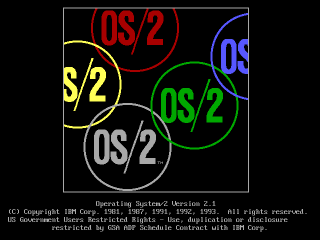
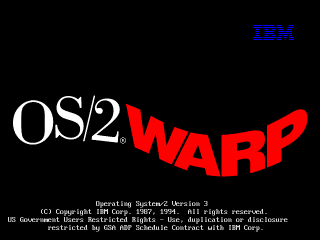
If you begin your install process with a blank hard drive, OS/2 should generally
just figure it out on its own when you choose "accept disk as is."
If the drive is anything *but* blank, weird things may start happening.
OS/2's partition manager is not a very smart cookie. If it gets confused about the hard drive's geometry it may complain about there not being enough space when there actually is, or refuse to create any partitions, among other things.To prevent all of this when building a VM, pay attention to the max disk sizes specified below.
Disks larger than 2.1GB require a boot floppy patch. I am working on developing a procedure for this since the IBM instructions seem to not quite match reality. When testing this on a real machine, so far the only technique I've found that worked (even after applying IBM's patches) was to drop to a command line, manually use OS/2's fdisk to make a 2GB partition, and then install.
OS/2 1.x will crash on any modern system unless you patch some files. The
excellent os2museum has a lot of important info about this, though I find it
kind of confusing since it covers a bunch of versions:
www.os2museum.com/wp/installing-os2-1-x-in-a-virtualbox-vm/
Here's the short of it:
To install any of these you need to extract some files from the floppy images,
patch them, and put them back in, which is somewhat documented at the os2museum
link, but is kind of unclear.
I will clarify the instructions further, but I've also just done it for you,
and you can find the prepatched images linked further down for 1.1 and 1.3.
The process I used is:
Doing this without Winimage is kind of a pain. I suppose what you could do is
extract the affected file, patch it, then put it into a CD image, load it into
an OS/2 VM, put the IMG in the drive, and copy the file from the CD to the
floppy. That ought to work.
Now we can install!
As mentioned earlier, 1.0 is a pain to get working but also pointless.
1.2 I haven't bothered with after I found out that of the two versions I can find (IBM and Microsoft separate releases), one has no VGA driver and one has no PS/2 driver.
I'm told 1.3 is basically identical to 1.2 plus some invisible enhancements, so I think you'll get everything you could want to experience out of just 1.1 and 1.3.
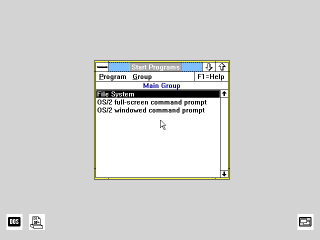
I don't even need to give instructions for this one. Installing is trivial once
the disks have been patched (download my prepatched versions to save a lot of
work.)
Just boot from install.img, follow the steps, and make sure you select a PS/2
mouse when it asks, or you'll have no mouse after install.
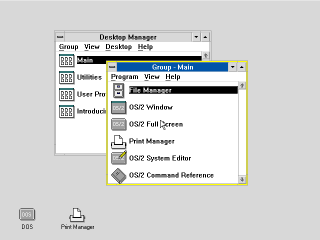
Install is now complete.
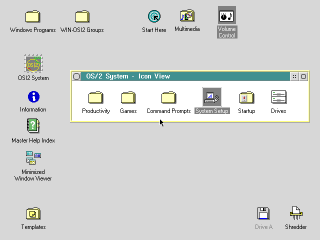
There is a CDROM version of Warp 2.1 that I wasn't able to figure out. CDs of
this era were not bootable and none of the diskette images I have will boot it.
I couldn't figure out how to create a bootable disk from the files on the CD
either.
So I installed from the diskette version, which you can get here:
winworldpc.com/product/os-2-20/21 under the name "IBM OS2 2.1
(3.5-1.44mb)"
You should now have a working OS/2 2.1 system. Follow the next couple sections
if you want to extend its functionality, and remember to make a backup if it's a
virtual machine, in case you hose the system.
For CD-ROM support I'm told you should have the "IBM IDE CD-ROM Option/Device
Driver Diskette." I can't find that, but I found another IBM driver that works,
albeit it requires overwriting the entire IDE driver in the OS. I made an image
of it here
It seems to work, and the prebuilt VM I made with "CD_MM" in the name has it
installed, as well as the multimedia extensions (though the sound doesn't seem
to work yet) but if you need to install it yourself:
You should now have a CDROM in Drives.
This install uses the diskette form of OS/2 2.1 since I couldn't figure out how
to get the CD version to boot. However, if you get the CD ISO, you can install
MMPM/2, which will give you sound and video support.
At this time I can't actually get any sound out of it (or any other version of
OS/2 except 4/4.5) but maybe your luck will be better. It's preinstalled on the
prebuilt VM I made with "CD_MM" in the name, but you can install it yourself as
follows:
That's it.
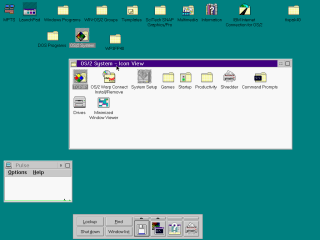
Note: Sound doesn't seem to work. I'm not sure why. It works on Warp 4/4.5
Installing Warp 3 on Virtualbox 6.0 is actually a fairly smooth process. It didn't use to be, it used to suck. Things have improved.
First you'll want Warp 3. Get it here:
archive.org/details/IBMOS2Warp3Collection IBM OS2 Warp 3 Connect - Blue - 8.200 - English - CDROM.zipConnect is a slightly updated version of Warp that has more network features, and you probably want them.
.) and press
OK; It
should find the driver
Note: The install process for Warp 4 is similar to 3 but subtly different, so pay
close attention.
Get the ISO from
winworldpc.com/product/os-2-warp-4/os-2-warp-40
IBM OS2 Warp 4.0 (ISO)
I maI may add detailed instructions for 4.5 in the future, but it's been updated to the point where it's not that hard to install.
You can get the disk here: https://winworldpc.com/product/os-2-warp-4/os-2-warp-452 IBM OS2 Warp 4.52 (4.52.14.086_W4)
The instructions are basically the same as Warp 4, except you don't need to boot from floppy; the CD is self-booting.
Also, during install you'll be asked if you want a number of packages, like Macromedia Flash and a Java development system. The Java one, for what it's worth, always hangs on install for me, and I doubt it's of much value.
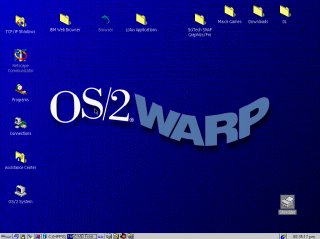
Now that you're started up, you're going to want graphics drivers. Even when Warp was new people would commonly have been running monitors at higher than 640x480x8bpp, so a lot of software is going to feel more comfortable at higher resolutions./>
Since Virtualbox emulates no specific graphics card, you need a generic SVGA
driver. Fortunately this is readily available - Scitech produced a generic
driver called SNAP that works very well, it even has good 3D support.
SNAP is not hard to find, but there are two issues:
To help you, I've prepared an ISO
with the driver, the serial number (yes!
this was a commercial graphics driver! it cost money!) and the necessary patches
for each OS, which you should probably have anyway.
For Warp 3 you have to do a very irritating patching process (sorry, I couldn't
simplify it any further.) Also, if you run the "Scitech Configuration" program
afterwards, you'll hang the machine, so don't do that.
Note: You do not need to do this for Warp 4.5, it comes with
a VESA driver. Just skip straight to setting the resolution.
For Warp 4 it's pretty straightforward:
So what should you do in OS/2?
Good question. I don't actually know yet. Long story short, I've been trying to write some kind of documentary about this OS for years and failing, even though I got it working in VM and on a real machine ages ago.
What I can tell you is this: OS/2 enjoyed remarkable success as an underdog, and in its day there was plenty of software for it. There are a number of major commercial applications available for it, even some games, and bits and pieces of all sorts that you can scrounge up online. Beyond that, just dig through it, experience it. It's a weird piece of software.
The first thing you'll need to be able to do is to actually get software into the VM.
CD images are the most obvious route, since OS/2 natively understands those, any large commercial software package you find online has a good chance of being in ISO format, and you can make ISOs trivially from files on your computer with any CD burning app.
Floppy images are also an option but there are no good free manipulation programs. If you find software online that's already in IMG/IMA format that's one thing, but if you want to make your own floppy images it's tough to do except from inside a VM, which is a chicken-and-egg problem.
FTP could work to move files between a local server - there are several very simple and free FTP servers out there you can set up, and there's an FTP client built into OS/2, I think from 2.x up.
A web browser is probably the most convenient option if you can work it. Any site that's plain HTTP can be accessed with the basic browser included with several versions of OS/2, and certainly with Netscape, which you can get here and move into your VM via an ISO, as described above.
You can also run a local HTTP server, such as Miniweb - just put files to transfer in htdocs and (supposing your computer's real IP is 192.168.1.100) access them at http://192.168.1.100:8000/
Accessing HTTPS sites is a problem. Any browser released before the late 2000s - which covers everything ever officially released for OS/2 - will not access any modern website. I'm told there is a Firefox 45 build for this OS but I still don't know if that fixes the HTTPS issue.
I have limited experience with running OS/2 software at all, but here is what I've learned so far:
There are a number of substantial OS/2 hobby and resource sites where you can find software, as well as drivers etc. to make OS/2 work on real hardware.
Hobbes always deserves mention. It's kind of a bulk file repository for basically everything imaginable for OS/2, but it's just files with very little context or organization, and you won't be able to load it inside of OS/2 itself without signficant effort because as far as I can tell it's HTTPS-only.
eCSoft is another popular resource, but unlike Hobbes they don't seem to host much themselves, just link to other sites, so you may find broken links. They do however have plenty of info and screenshots on each program and
Internet Archive doesn't have a lot of easily located OS/2 software, but my recollection is that a lot of DOS/Windows software CDs from the 90s had OS/2 directories. So there's that.
OHFOWG is a compilation of OS/2 Warp games. I have not been through it at all thoroughly but you can check it out; I'll advise you that it's 1.8GB, but Warp 4.5 (at least) will read a DVD happily, so I extracted it, dumped it into a DVD ISO, and mounted it successfully.
If this was interesting to you, or if you did something interesting with it, email me:
If you like my work, consider tossing me a few bucks. It takes a lot of effort and payment helps me stay motivated.