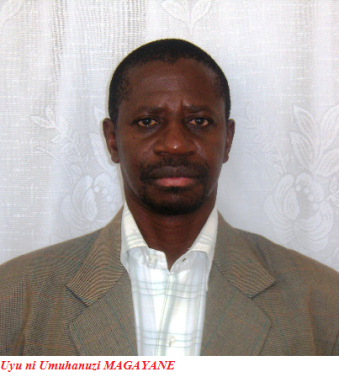
Indagu za Magayane na Mama Domitila
from :(theorusi_Fabi" <rusincizatheo@yahoo.fr)
Hari umuvandimwe uherutse kungezaho igitekerezo cya Magayane, akigereranya n;ubuhamya bwa Maman Domitilla, nsanga ari ngombwa ko nabigeza kubasomyi ba DHR; Yatangiye agira ati:"muribuka ko Magayane;umugabo wavukiye muri préfecture ya Ruhengeri;yavuze byinshyi ku mahano azabera mu Rwanda, ntibyatinze byose byarabaye, twese tubibona,kandi abenshi barabisuzuguraga ngo ntashyingiro bifite. Mu byo yavuze ,akaza no kubizira, akabifungirwa muri Prison spéciale ya Ruhengeri, twafatamo ibyingenzi bikurikira:
Maman Domitilla:
Maman Domitilla nawe, ukomoka i Murenge ho muri Zaire mu buhamya bwe, akimara
gupfa akajyanwa mu ijuru, akaza kuzuka, akagaruka nyuma y,iminsi 4, yazanye
ubutumwa bugaragara, kandi bwo kwitonderwa. Mu gice cya nyuma mu buhamya bwe
aragira ati:
BASOMYI MWESE DUHURIYE KULI IZI MBUGA: NIFUJE KUBAGEZAHO IBYO NZI KU BUHANUZI BWA MAGAYANE, NKABA NSABA INKUNGA BAGENZI BANJYE AHO BARI HOSE KUNYUNGANIRA KUKO MULI AMOSI 3:7 IMANA YARAVUZE NGO: NTA KIZABA NTABANJE KUGIHISHULIRA ABAHANUZI.
MAGAYANE YARI UMUGABO UFITE IMPANO Y' UBUHANUZI, AKABA YARAKOMOKAGA MU KARERE BITAGA UBUKONYA, KOMINI YA GATONDE, MU RUHENGERI. MBERE YUKO MVUGA IBYO YAHANURIYE ABANDI, DORE IBYO YIHANURIYE UBWE:
Perefe Zigiranyirazo muramu wa Habyarimana akimara kwumva ko nta kabuza abatutsi bari hanze bazafata urwanda, nyuma ariko ngo bakazarwirukanwamo n' umuzungu warubahaye, Zigiranyirazo yatse insinzi, Magayane ati kereka Habyarimana yeguye igihugu akagiha abanyenduga kuko nibo bazi amacenga y' abatutsi, bityo mwebwe mukicara. Zigiranyirazo yavuze ko bafunga Magayane, Magayane akigera mu buroko 1930 yabwiye uwamutekeraga ati: ku wa kane nzapfa maze kurya imboga. Niko byagenze. kuko yahawe i mboga z' isogo yakundaga jeudi yitaba imana. Yanabwiye n' uwo musoda wamutekeraga ko azagwa mu maguru y' abagore, niko byabaye uwo musore yagiye gusambanya umugore w' undi mugabo, ategerwa kw' irembo bamutsinda aho.
Ibyo yahanuriye abandi ni ibi: yabwiye ambasaderi Kagenza Alphonse muli nzeli 1972 ko Kayibanda uzengurutse urwanda rwose ngo aribuka isabukuru y' imyaka 10 y'ubwigenge ko ariho asezera ku banyarwanda ko nta myaka itatu azamara ategeka, ko nategura n' imva ye itazaboneka.
Yabwiye Kanyarengwe alexis ko azahunga akambuka Akagera, akagaruka arwana, akazitwa umutegetsi wa nyirarureshywa, akabona ibibi n' ibyiza, nyuma agapfa adahinnwe azize indara-mabuno.
Yavuze ko hari abazungu bagiye gufungirwa mu Ruhengeri, abandi b' abatasi bazabakurikira bakagwa kuli Muhungwe byarabaye, abacanshuro bashatse gufata Congo banyuze i Goma en 1978 surete ya Lizinde yari ikaze ibata muli yombi bafatirwa mu mahoteli ku Gisenyi, bafungiwe mu Ruhengeri, nyuma yaho abandi bakoreye plan yo gufata Rwanda na Congo byombi muli parc y' i birunga i Rwindi (congo),baje mu Rwanda n' ibyuma kabuhariwe bifotora, indege ibagusha muli komini Kanama(bugoyi- gisenyi) hafi ya Muhungwe.
Magayane yahamagariwe gukora animation bamamaza, banacengeza amatwara ya muvoma, ati: uwabyiniye Nkubitoyimanzi Rudahigwa, na bwenge nyakuli Kayibanda, ntiyabyinira muvoma izanywe n' abungura bazubika u Rwanda.
Bourgmestre Kabalira yahise amufungira mu kasho amuziza gupfobya MRND, akanatuka prezida wayo ngo ni umwungura w' umushyushya. Nyuma y' icyumweru baramurekuye, Magayane abwira Kabalira ati: kumfungira ubusa kwawe nawe uzafungirwa ahatava izuba. Bwarakeye basanga Kabalira yarariye imisanzu ya MRND, yafungiwe muli prison special mu ruhengeri.
Magayane yabwiye Theoneste Lizinde ati: ugiye kuzafunganwa n' abantu bambaye utubuye tubengerana ku ntugu, mukazashyirwa aho wajyaga ufungira abandi. Bwarakeye Lizinde avumbura imashini yakoraga amafranga, iyo mashini yari ihuriweho na Majyambere n' ibindi bikomerezwa. Lizinde abigejeje i bukuru, bati uyu muntu azabwira abanyamahanga akari i murore bati: tumwohereze Zimbabwe, navayo tuti yateguraga coup d' etat, ahite afungwa.
Yabwiye Lizinde ati ikimenyetso cy' ifungwa ryawe n' umwana uzabyarwa na madame Habyarimana ari ikimara. Byarabaye uwo mwana avukira mu bubiligi ari ikimara (baramuhishaga) nta cyumweru cyahise Lizinde atabwa muli yombi. Magayane ati Lizinde nufungurwa n' ingabo zizaturuka hanze, uzicarana nazo akanya gato, uzahunga, zizagutsinda hanze.
Magayane yabwiye adjudant chef wayoboraga gereza ya Ruhengiri witwaga Sembagare ati: uri igikenya ntuzisazira. Bwarakeye ajya iwabo i muramba-gisenyi, inkuba itagira amazi iramwasa.
Magayane yabwiye undi muyobozi w' iyo gereza adjudat Cyarahani ati:uzicirwa muli iyi prison, umwaga wawe uzashirira aha.
Yabwiye abanyururu bagenzi be ati: iyi myenda mubona y' umukara twambaye izasimbuzwa ibara ribengerana( rose) yarongeye ati: ibohozwa ry' iyi prison rizabanziriwa no kumwa kw' iki giti cy' inganzamarumbu mubona imbere ya gereza, ati hano munzu ndani hazinjira ihene izaherekeza abashyitsi. Bwarakeye igiti kiriyumisha, naho ubwo musenyeri Nsengiyumva yasuraga gereza ya Ruhengeri,bibagiwe gukinga ihene irabinjirana, nijoro bumva iramena amasafuriya irya ubugali
Magayane ati : ngicyo ikimenyetso mwatashye, mais abazahungira Rwabeya muzashira. Abahungiye Rwabeya-musanze bahuye n' abacodo ba Mukamira baje kubohoza Ruhengeri, babamenaho urusoro babita inyenzi
Kubera atahwemye kwikoma ingoma ya kinani, byateye ubwobo abayobozi ba gereza ya
Ruhengeri, bahitamo kumushyikiriza ibiro by' ipererza ngo yisobanure. Yasabye ko
Habyara n' ibyegera bye baza, maze ubuhanuzi bufatwa kuli za cassettes
buranandikwa. dore uko yavuze:
Wowe Habyarimana ndagukandagiye ugiye kugwa ku kibuga gikikijwe n' imfunzo
kandi nupfa Kigali
izuzuramo intumbi agahiryi. Ibimenyetso n' abazungu bazaza kugukanga nawe
uzashyira mu bitugu byawe mu bushorishori umugore w'umugambanyi, Inyamaswa y'
ihembe limwe izaba ibiyogoza mu rukiga na ndorwa, iyo nyamaswa izakwira urwanda
imena amaraso menshi, izaguhitana nta kabuza, keretse weguye.
Habyara ati shaka insinzi: Magayane ati ntayo, ati ubutegetsi bwawe buzafatwa nabo bavantara, bazigera kino gihugu, nyuma bazakivanwamo nk' ubufindo. Magayane ati: uzasimburwa na Rusukumo ruzamara amezi atatu, hakurikireho Bihwahwa wo ku ruzi rw' iwanyu, nyuma ye ngo hazategeka Rwabujindiri rurya ntiruhage; uwo Rwabujindiri azajegezwa ihembe inshuro enye, ihirikwa rya Rwabujindiri rizagenda ritya:
Magayane ati: azaraswa umwambi w' igishirira na bene-nyina ari mu Bugesera nyuma hazameneka andi maraso menshi, noneho rutuku wamuhaye ubutegetsi ashyireho umusaza usheshe akanguhe uzaba ari inyuma y' igihugu azane ihumure, acyure rukara rw' igisage ruzabyinirwa bigatinda.
Abantu bazaba baragiye ishyanga bose batahuke, habeho umunezero n' uburumbuke n' amahoro ya nyayo.
Uko bizamera ingoma ya Rwabujindiri igeze mu marembera: hazabaho isubiranamo ry' abiyicaje ku ntebe. Hazabaho inzara, agahili n' agahinda, no kwiyahura. Hazabaho urwikekwe yewe n' umwana azatinya se na nyina ; hazabaho amalira yuzuye intango ku bali mu bihome hazabaho ibisahira-nda birya akaribwa n' akataribwa, bazakora ibishoboka byose ngo batsinsure rwara rw' umugara rubundiye mu mashyamba, nyamara nabyutsa umugara igihuru kizabyara igihunyira. Bazafatanya n' anyamahanga, nyuma bibe zero, ahubwo intambara yongere itangire ikazahagarikwa na l' onu ya gatatu.
Magayane ati uwo rutuku uzaza agahagarara hagati y'abazaba barwana, niwe uzatoranya umutegetsi.
Hazabaho inyoni z' uducurama zizarika mu biti by'abo biyicaje ku ntebe. Hazabaho ibika ry' isake isura urwimo ikigera ku mutambiko w' urusenge, hazabaho abandi bazahanura nkanjye bakabizira: hazabaho ihene izabyara isekurume indwi zange konka.
Umwami w' ishyamba azaza kwiba.
Mwibuke ko Magayane yavuze ati: nimubona Kigali yuzuye amase atewe n' imyigaragambyo y' inka. muzamenye ko kinani yahirimye, kuko amase azasimbuzwa intumbi z' abantu. byarabaye mu kwa gatatu 1993, umugabo watswe igikingi yazanye inka ze kuli rond-point Kigali. Inka zacunzwe n' aba Gd umugi wabaye umunuko kubera amase. Nyuma intumbi zasimbuye amase.
Ikindi gikomeye yaravuze ati: Habyarimana nupfa, abantu bazahunga iki gihugu, ati aliko abazahungira mu majyaruguru y' uburengera-zuba bazapfamo benshi. koko abahungiye Goma, Mugunga, Kibumba, Katale, Kahindo basanze docteur ru....umututsi ukomoka ku kibuye uba mu bihugu byo hanze yakwije amarozi muli nord kivu, bayasigaga ku gisheke, irindazi, umuneke, ikijumba,ikigeli, bashyize no mu bigage, inzagwa,n' amasigara, imbaga yarahatikiye ngo ni kolera daaa!
Magayane yabisubiyemo inshuro eshatu ati: aba bavantara baturutse i bugande bazafata kino gihugu nta kabuza, ati aliko bararye bali menge kuko bazakibavanamo kandi nabi. Ababizi bemeza ko abo mu kazu ka fpr imitungo yabo yambukijwe kera ikaba ili muli erythrea, ethiopie, afrika y' epfo, i burayi na amerika. mbese barasahura nkaho nta mizero bafitiye u rwanda.
Ubu buhanuzi mbukesha umwe mu bakozi b' ibiro by' iperereza bo hambere en 1978 wandikiraga kinani ibivuzwe na Magayane. Ukunyunganira kwanyu bizanshimisha.
Ntabwoba gregoire.
Indi ndagu: http://ikazeiwacu.fr/2014/10/14/ubuhanuzi-ku-bihugu-rwanda-burundi-uganda-congo-na-tanzania/
The GT9xx 1024x600 screen is ubiquitous in several specific markets:
This display isn’t designed for 4K video editing or gaming at 144Hz. Instead, it excels in niche scenarios:
At first glance, the string of characters “gt9xx1024x600 portable” appears as little more than technical detritus—a part number lost in the vast inventory of electronic components. It lacks the marketing flair of “Retina Display” or the brand cachet of “Galaxy.” Yet, within this alphanumeric code lies the DNA of the modern, democratized digital world. It is the specification sheet for a ghost in the machine: the ubiquitous, affordable, touch-enabled portable device.
To understand “gt9xx” is to look beyond the screen and into the interface. The “gt9xx” prefix refers to a family of capacitive touchscreen controllers, most famously produced by Goodix. These chips are the silent interpreters of human intent. Every swipe, pinch, and tap on a budget tablet, an e-reader, or a portable point-of-sale system is translated from the analog language of electrical capacitance into the digital binary that software understands. The “xx” denotes a spectrum of variants, hinting at flexibility and mass production. This is not the custom-engineered silicon of a flagship smartphone; it is the workhorse component, optimized for reliability and cost. It represents the industrialization of touch, making the magic of a responsive screen an expected utility, not a luxury.
Coupled with this controller is the resolution: 1024x600. To a videophile, this pixel count might seem archaic, a relic of the early netbook era. But in the context of portability, 1024x600 is a masterclass in compromise. It offers a 16:9 aspect ratio in a package small enough (typically 7 to 8 inches diagonally) to fit in a coat pocket or a cramped airline seatback. It is the resolution of the secondary screen: the dedicated GPS unit on a boat’s dashboard, the handheld oscilloscope in a field engineer’s kit, the rear-seat entertainment screen for a toddler, or the display on a 3D printer’s control box. It provides just enough vertical real estate (600 pixels) to read a web page and enough horizontal space (1024 pixels) to watch a widescreen video without severe letterboxing. It is the resolution of sufficiency, prioritizing battery life and processing power over pixel density.
When these two elements are combined with the word “portable,” a specific class of device emerges. This is not the fragile, $1,000 glass sandwich that requires a case and a prayer. The “gt9xx1024x600 portable” device is the ruggedized tablet in a warehouse, the children’s learning pad encased in foam rubber, the DIY cyberdeck built by a hobbyist, or the industrial HMI (Human-Machine Interface) controlling a CNC machine. Its portability is not about elegance; it is about endurance and accessibility.
The true significance of this specification stack lies in its economic and environmental footprint. Because the display is a mature, low-cost LCD technology and the touch controller is a mass-produced commodity, the barrier to entry for creating a portable device has collapsed. A startup can prototype a handheld medical device; a school can afford a class set of tablets; a maker can build a smart home controller. This is the hardware of permission, not prohibition. It accepts that not every experience requires 4K HDR. Sometimes, what the user needs is a screen that is durable enough to drop, responsive enough to not cause frustration, and cheap enough to replace.
In conclusion, the search for “gt9xx1024x600 portable” is a search for the pragmatic heart of personal technology. It strips away the hype of annual product cycles and focuses on the foundational trinity: a reliable way to touch (gt9xx), a functional way to see (1024x600), and a practical way to carry (portable). This is the hardware that powers the silent majority of digital interactions—the anonymous screens that check us in, guide our deliveries, and entertain our commutes. It is not the future of technology, but rather the functional, durable, and accessible present that most of the world actually lives in.
The GT9XX series (specifically models like the ) refers to a widely used family of capacitive touch controllers found in 1024x600 portable displays. These screens are popular for DIY projects involving single-board computers like the Raspberry Pi, as well as for automotive or secondary PC monitors. Key Features and Connectivity
Here’s a product-focused text for a portable device with the spec GT9xx1024x600:
Title: GT9xx1024x600 Portable – Compact Clarity, Built to Go
Body:
Meet the GT9xx1024x600 Portable – where high-resolution viewing meets true on-the-go convenience. Designed for users who need a sharp, responsive display without being tied to a desk, this portable device packs a 1024x600 resolution into a rugged, lightweight frame.
Whether you're using it as a secondary monitor for your laptop, a dashboard for fieldwork systems, or a dedicated display for embedded projects, the GT9xx delivers crisp visuals with wide viewing angles. The "GT9" series touch architecture ensures smooth, low-latency interaction – ideal for kiosks, control panels, or portable entertainment setups.
Key features:
From DIY makers to mobile professionals, the GT9xx1024x600 portable is your window to reliable, high-contrast visuals – wherever work or play takes you.
Master Your Build: Setting Up the GT9xx 1024x600 Portable Display
If you are a DIY enthusiast building a handheld gaming rig, a car infotainment system, or a secondary Raspberry Pi monitor, you’ve likely encountered the GT9xx series of touch controllers. These chips, such as the GT911 and GT9271, power a huge range of 7-inch to 10.1-inch 1024x600 portable displays.
While these panels offer crisp visuals and responsive multi-touch, getting them to "talk" to your hardware can be tricky. Here is everything you need to know to get your display up and running like a pro. 1. Understanding the Hardware gt9xx1024x600 portable
The GT9xx family—including the popular GT911, GT928, and GT9271—are capacitive touch controllers that typically communicate via I2C or USB.
Display Specs: Most 1024x600 kits feature a high-density RGB TFT or IPS panel.
The Controller: The GT911 is standard for smaller 7-inch screens, while the GT9271 is common in larger 10.1-inch panels due to its higher channel count (32 drive, 20 sensing) for better accuracy.
Interfaces: You’ll usually find an HDMI port for video and a Micro-USB or I2C header for touch data. 2. Software Configuration (Raspberry Pi & Linux)
Getting touch working on a Raspberry Pi is the most common challenge. These controllers often require a Device Tree Overlay to function correctly.
The hum of the basement was the only thing keeping Elias awake. On his workbench sat a jagged assembly of wires and green silicon, centered around a small, glowing rectangle—a gt9xx 1024x600 portable display
. It was a cheap part he’d found in a bin of discarded tablet spares, but tonight, it was the most important window in the world.
He was a "Digital Archaeologist," a man who spent his nights scouring the static of old, unencrypted satellite frequencies. Most of it was garbage: weather data from the 90s, garbled pager messages, or just the rhythmic pulse of cosmic background radiation. But tonight, the Goodix digitizer was twitching.
Elias didn’t touch the screen; he didn’t want to introduce interference. On the 1024x600 panel, a jagged waveform began to smooth out into a repeating pattern. It wasn’t a transmission. It was a map.
As the pixels filled in—vibrant blues and sharp white lines—Elias realized he wasn't looking at Earth. The resolution was low, the edges of the image aliased and raw, but the geography was unmistakable. It was a topographic scan of a lunar crater, one that didn't exist on any official NASA chart.
A small red dot blinked in the center of the crater. Beside it, a string of text appeared in the terminal window below the map: GT9-PROBE-01: SIGNAL RECEIVED.
His heart hammered. The "gt9xx" wasn't just a driver ID for a touchscreen; it was a handshake protocol for a forgotten deep-space relay. He reached out, his finger hovering just millimeters from the glass.
The moment his skin touched the capacitive surface, the screen didn't just register a click. It hummed. The basement lights flickered, and for a split second, the 1024x600 display became a mirror, showing not his reflection, but a vast, silent plain of gray dust under a pitch-black sky.
The probe wasn't just sending data. It was waiting for a command. of these displays or continue the story to see what Elias does next?
Display Panel: Usually a 7-inch or 9-inch LCD with a native 1024x600 resolution and a 16:9 aspect ratio. Touch Controller: Integrated Goodix GT9xx (such as the GT911 or GT927 ) supporting multi-touch capabilities.
Connectivity: Features a mini-HDMI or standard HDMI port for video and a micro-USB or USB-C port for both power and touch data.
Portability: Highly lightweight design, often under 1.5 lbs, powered by a standard 5V USB source such as a power bank. Common Use Cases The GT9xx 1024x600 screen is ubiquitous in several
DIY Projects: Building retro gaming consoles, home automation dashboards, or digital photo frames.
Secondary Monitor: Serving as a dedicated display for coding, system monitoring, or as a portable workstation screen for laptops and PCs.
Specialized Tools: Integration into digital microscopes, diagnostic tools, or automotive backup camera systems. Setup and Driver Requirements
Plug-and-Play: On most modern systems like Windows 10/11 or standard Raspberry Pi OS builds, the display and touch functions often work immediately without manual driver installation. Advanced Configuration:
For older Linux kernels (e.g., version 3.x), you may need to manually add the Goodix GT9xx
drivers or configure device tree nodes to ensure accurate touch calibration.
Calibration: Some systems require calibration software to align touch inputs with the 1024x600 resolution for precise interaction. Linux: Adding GT9xx touchscreen drivers to AM335x SDK
The driver is at /board-support/linux-/drivers/input/touchscreen/goodix.c. If you check the Makefile you will see this line: obj-$ TI E2E support forums
The GT911 (GT9xx series) is a popular capacitive touchscreen controller often paired with 7-inch 1024x600 portable displays. These screens are commonly used as compact monitors for Raspberry Pi, Arduino, or ESP32 projects due to their lightweight design and high pixel density for their size. Hardware & Connection Guide
Most "gt9xx1024x600" portable screens use a 6-pin FPC ribbon cable for touch data and either HDMI or DSI for video.
Voltage Warning: The GT911 chip typically operates at 3.3V. Applying 5V directly to the touch pins (SDA/SCL) can permanently damage the controller.
Touch Interface: Uses I2C communication. Standard pinout usually includes: VCC/GND: Power (3.3V) and Ground. SCL/SDA: I2C Clock and Data lines. INT (Interrupt): Signals the host when a touch is detected.
RST (Reset): Used to initialize or reboot the touch controller.
Video Connection: Portable units typically feature a mini-HDMI or USB-C port for video input from PCs, laptops, or smartphones. Software & Driver Setup Gt9xx1024x600 Portable Guide
Here’s a concise, helpful product description and short user blurb you can use for the "GT9XX 1024x600 Portable" (assumed portable monitor/tablet) — two lengths for different needs.
Short (1–2 lines)
Medium (paragraph)
Bulleted features (for listing/specs)
Quick setup instructions (2–3 steps)
Short troubleshooting tips
If you want, I can:
Setting up a (often GT911 or GT928) capacitive touch panel with a
resolution requires specific configuration for both the display signal and the I2C touch controller. Toradex Community 1. Display Signal Configuration
For portable monitors connected via HDMI (such as on a Raspberry Pi), you must manually define the custom 1024x600 resolution in your system configuration. Volumio Community File to Edit /boot/config.txt /boot/userconfig.txt on some systems). Settings to Add
max_usb_current=1 hdmi_force_hotplug=1 hdmi_group=2 hdmi_mode=87 hdmi_cvt 1024 600 60 6 0 0 0 Use code with caution. Copied to clipboard hdmi_cvt 1024 600 60 : Sets the resolution to 1024x600 at 60Hz. Volumio Community 2. GT9xx Touch Controller Setup The GT9xx series uses I2C to communicate touch data. Orient Display Driver Identification : Most Linux-based systems use the compatible = "goodix,gt911" "goodix,gt9xx" Device Tree Configuration
: If you are using an embedded system (like an STM32 or Rockchip), you must define the panel coordinates in the Device Tree: touchscreen-size-x = <1024>; touchscreen-size-y = <600>; Hardware Interface
: Ensure the 6-pin interface (VDD, GND, SCL, SDA, INT, RESET) is correctly wired. The pins are critical for initializing the chip. Raspberry Pi Forums 3. Resolving Common Issues Linux: Adding GT9xx touchscreen drivers to AM335x SDK
(including the GT911 and GT9271) is the industry standard for capacitive touch controllers used in 7-inch to 10-inch portable displays. Most 1024x600 portable monitors on the market today rely on this chip to provide responsive, multi-touch experiences for Raspberry Pi, Windows, and DIY projects. Amazon.com 🚀 Key Specifications
Amazon.com: ELECROW 7 Inch Touchscreen Monitor for Raspberry Pi
* High-Resolution Display: This 7-inch IPS touchscreen has a 1024x600 resolution, which can be adjusted via software to 1920x1080. Amazon.com
Here’s a comprehensive review of the GT9XX series 10.1-inch 1024x600 portable monitor (common generic models: GT916, GT922, GT948, etc.). These are widely sold on Amazon, AliExpress, and eBay under various brand names (e.g., UPerfect, Cocopar, Vissles, or no-name).
How does this generic portable monitor stack up against branded alternatives?
| Feature | GT9XX 1024x600 | ASUS ZenScreen MB16AC | Lepow 15.6" | | :--- | :--- | :--- | :--- | | Price | $40 | $220 | $120 | | Resolution | 1024x600 | 1920x1080 | 1920x1080 | | Size | 7-9" | 15.6" | 15.6" | | Touch | Yes (capacitive) | No (optional) | No | | Portability | Very high (tiny) | Moderate | Moderate | | Best Use | Embedded, Pi, backup camera | Office work | Gaming/media |
Verdict: The GT9XX isn’t trying to beat a full-HD 15-inch monitor. It wins on size, cost, and touch input. If you need a tiny, low-resolution interactive screen, this is your tool. If you need color-accurate document editing, buy a bigger panel. Title: GT9xx1024x600 Portable – Compact Clarity, Built to
This is perhaps the most common use. If you own an aftermarket Android navigation system for a car (like a Joying or Pumpkin head unit), the front panel is likely a GT9xx 1024x600 module. Its brightness is optimized for vehicle interiors, and the capacitive touch is responsive enough for use while driving.